Publishing Media
Publish your videos to connected social media accounts directly from the VDClip calendar. Select a clip, configure platform-specific settings for each account, and choose to post immediately or schedule for later.
Configure your post once with platform-specific details for YouTube, TikTok, Instagram, Facebook, LinkedIn, and Threads. Post to multiple accounts simultaneously or schedule for the perfect time.
Complete Posting Flow
Step 1: Open the Calendar and Create a New Post
Navigate to the Calendar section in your VDClip dashboard. Click the “New Post” button to begin creating a new publication.
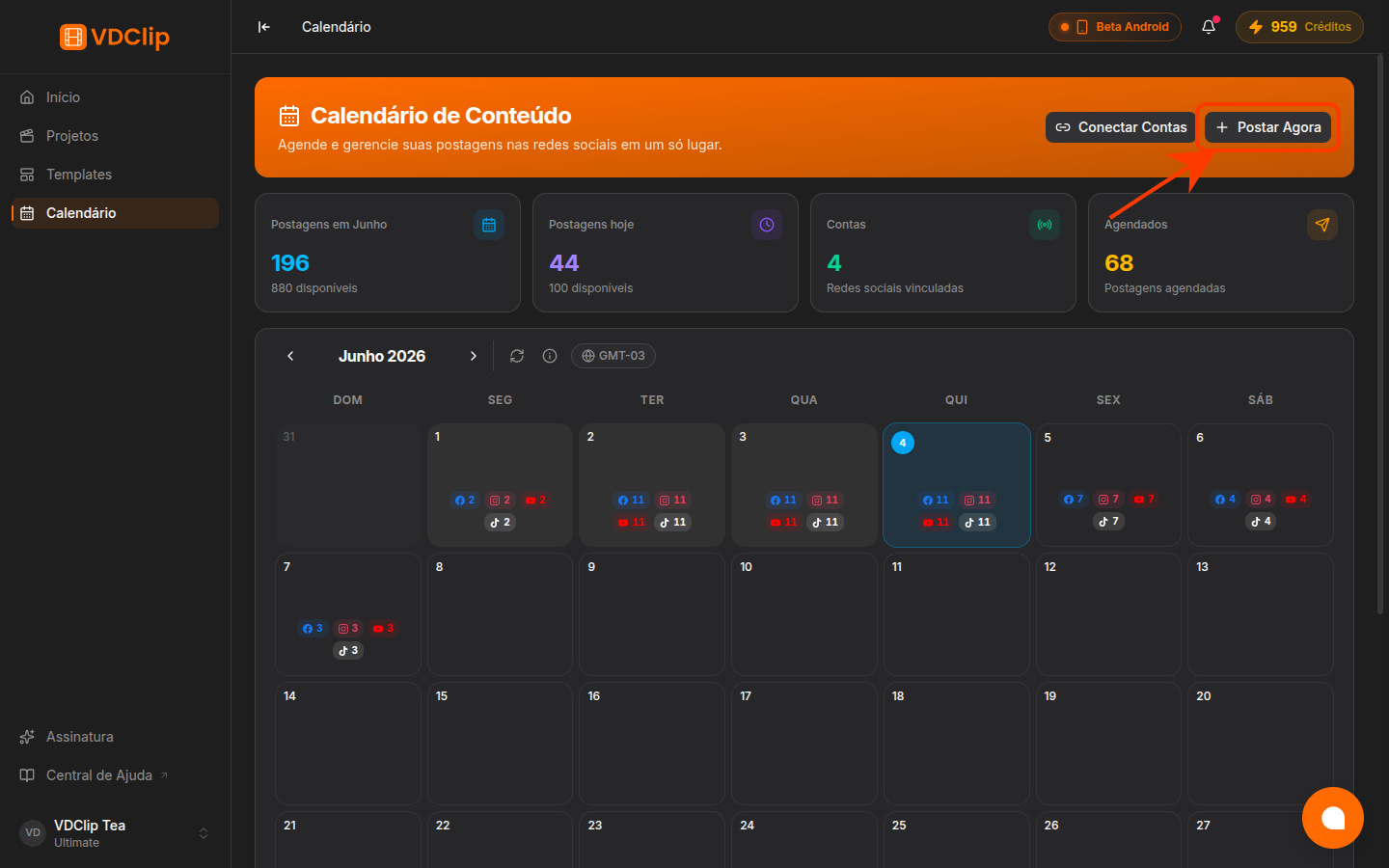
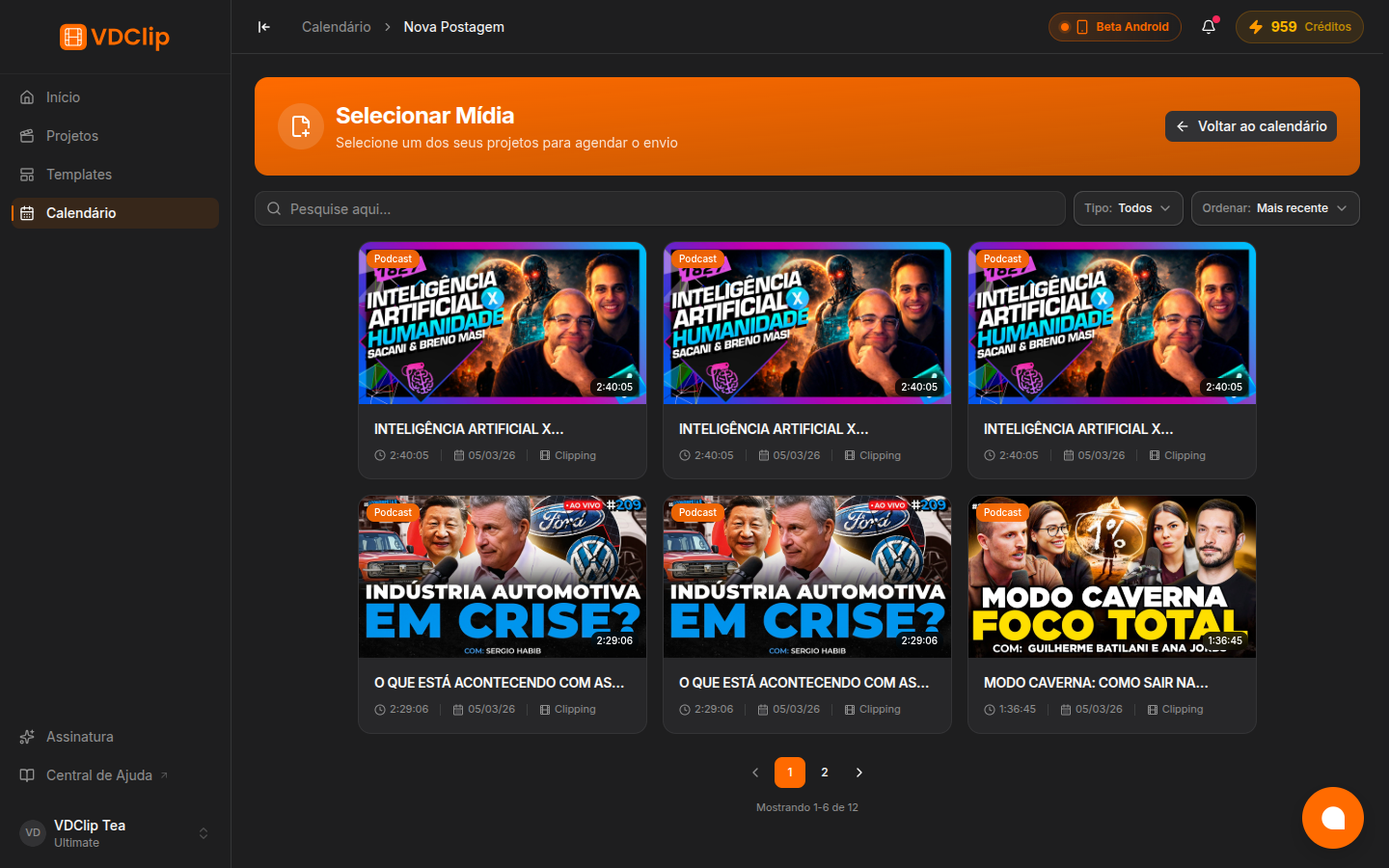
Step 2: Select a Video from the Media Picker
The Media Picker opens showing your processed videos and clips. Browse through your results and select the clip you want to publish.
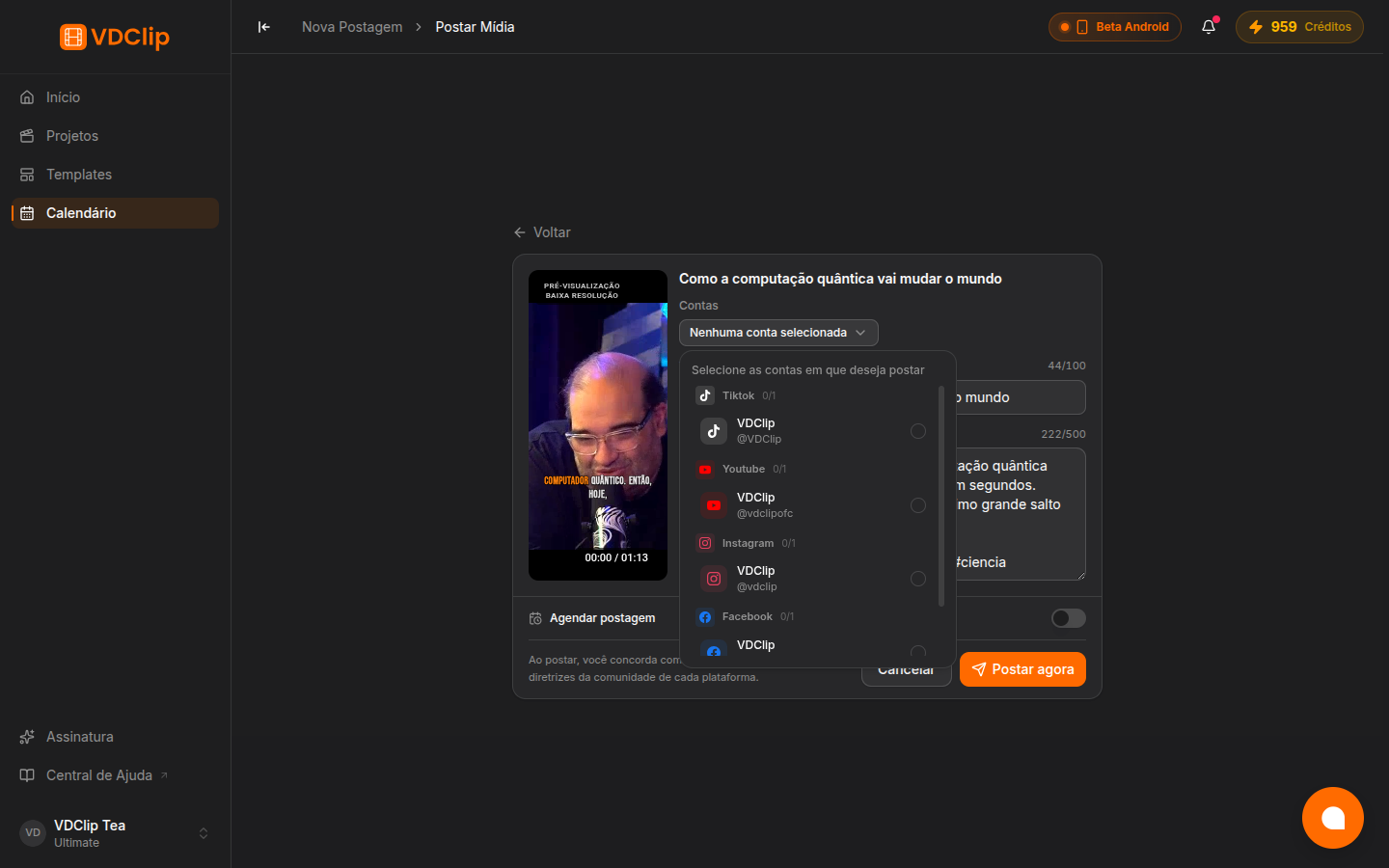
Step 3: Choose Your Accounts
On the post configuration page, select which connected social media accounts should receive this post. You can choose one or multiple accounts across different platforms.
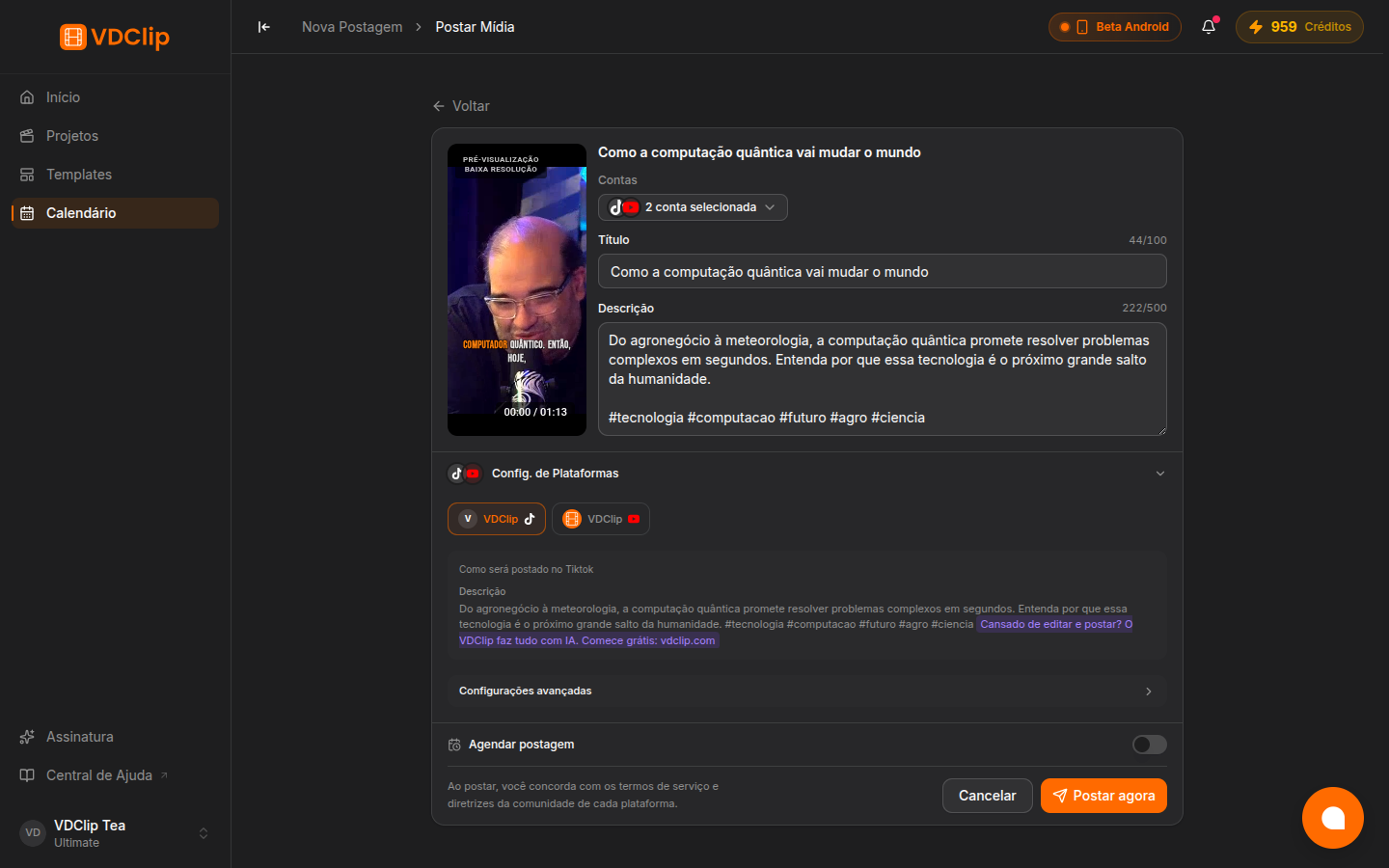
Step 4: Configure Platform-Specific Settings
Each platform has its own set of configuration options. VDClip shows only the relevant settings for your selected accounts.
YouTube
- Title
- Description
- Visibility (public, unlisted, private)
- Thumbnail
- License
TikTok
- Caption
- Visibility options
- Duet toggle
- Stitch toggle
- Comment toggle
- Caption
- Alt text
- Hide likes toggle
- Disable comments toggle
- Caption
- Visibility
- Caption
- Account type
Threads
- Caption
- Public post (no per-post options)
Step 5: Add Tags and Hashtags
Use the tag input field to add relevant hashtags to your post. VDClip validates your tags to ensure they follow each platform’s requirements.
Step 6: Schedule or Post Immediately
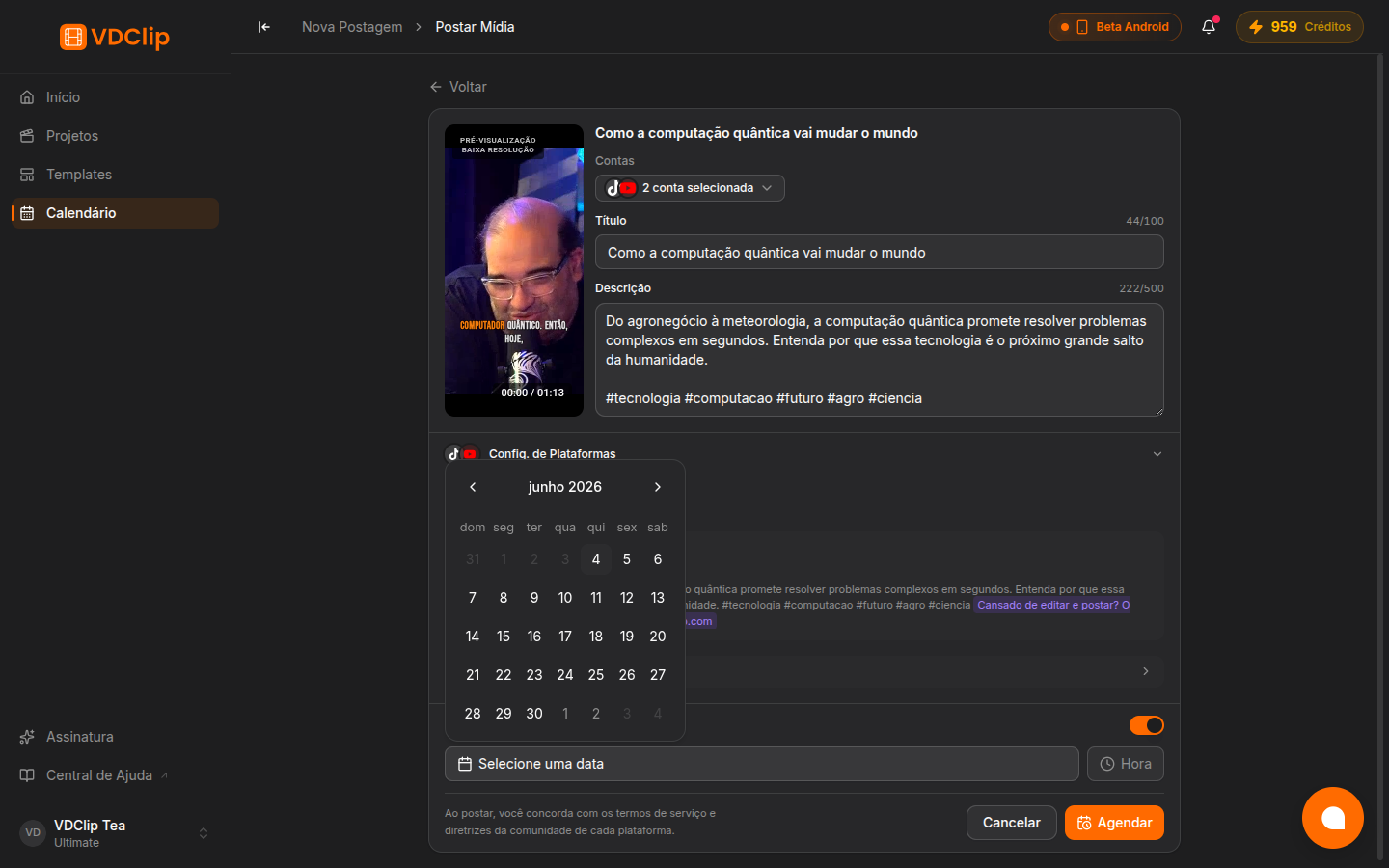
Use the schedule toggle to choose between posting now or scheduling for a specific date and time. The date/time picker lets you set the exact publication moment.
Post Immediately
Leave the schedule toggle off and click publish. Your post goes live on all selected platforms right away.
Schedule for Later
Enable the schedule toggle, pick a date and time, then confirm. The post will be published automatically at the chosen moment.
Posting a Video from Your Device
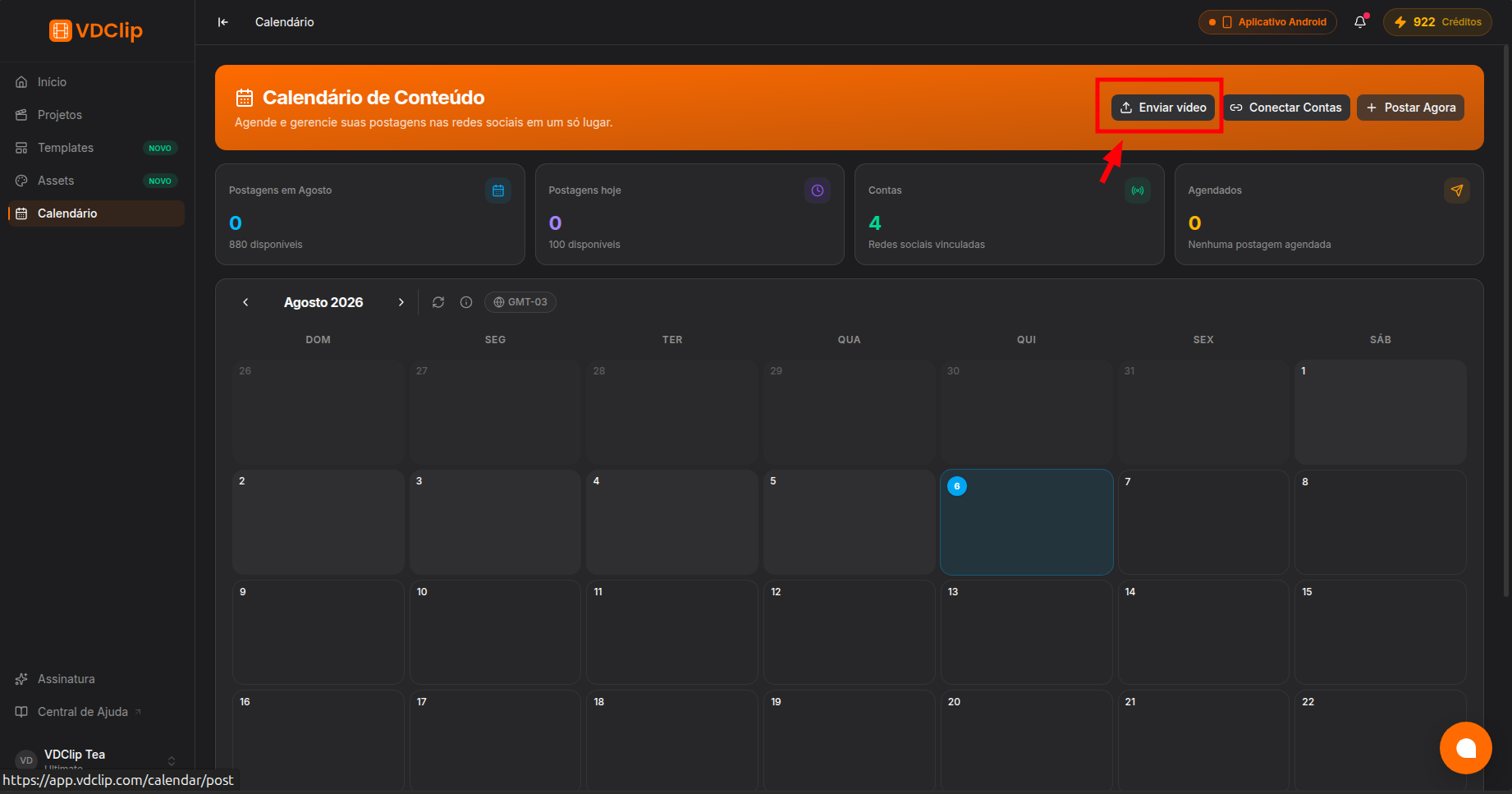
Besides scheduling clips you created in VDClip, you can upload a video straight from your device and post it. In the Calendar, click Upload in the header, choose your video, and continue into the same post flow to pick accounts, add a caption, and schedule or post now.
Uploading a video to the Calendar does not consume credits. Credits are only used when you render it, and the exact cost is shown before you confirm. Posting the video then counts against your active plan’s posting quota. See the pricing page for details.
Account Validation
Before your post is submitted, VDClip validates that all selected accounts are properly connected and authorized. If an account requires re-authentication, you will be prompted to reconnect it before posting.
Posting limits vary by plan. Some plans have restrictions on the number of posts you can schedule per day or month. Check the pricing page for current limits and plan details.
After scheduling or posting, you can view and manage your posts in the calendar.
Tips & Best Practices
While you can post the same video everywhere, adapting captions and descriptions to each platform's style leads to better engagement.
Research when your audience is most active on each platform and schedule your posts accordingly for maximum reach.
Add targeted hashtags that relate to your content. Avoid generic tags and focus on niche-specific ones for better discoverability.
Always review your platform-specific settings before hitting publish. Check titles, descriptions, and visibility settings for each account.
Use the calendar to plan your content weeks in advance. Consistency helps build audience expectations and loyalty.
Monitor how your posts perform on each platform. Use these insights to refine your content strategy and posting times.