Publishing Media
Publish your videos to your connected social media accounts with ease. Configure the title, description, and other settings for your post, then choose to publish immediately or schedule for later. You can publish to one platform or multiple platforms at the same time.
Whether you want to post immediately or schedule for later, VDClip makes it easy. Configure your post once and publish to one or multiple platforms simultaneously.
Quick Start
Watch this video to see how easy it is to publish media:
Step-by-Step Guide
Step 1: Access Calendar
Navigate to the Calendar section in your VDClip dashboard.
Step 2: Click “Post Now”
Click the ”+ Post now” button at the top of the calendar to start creating a new post.
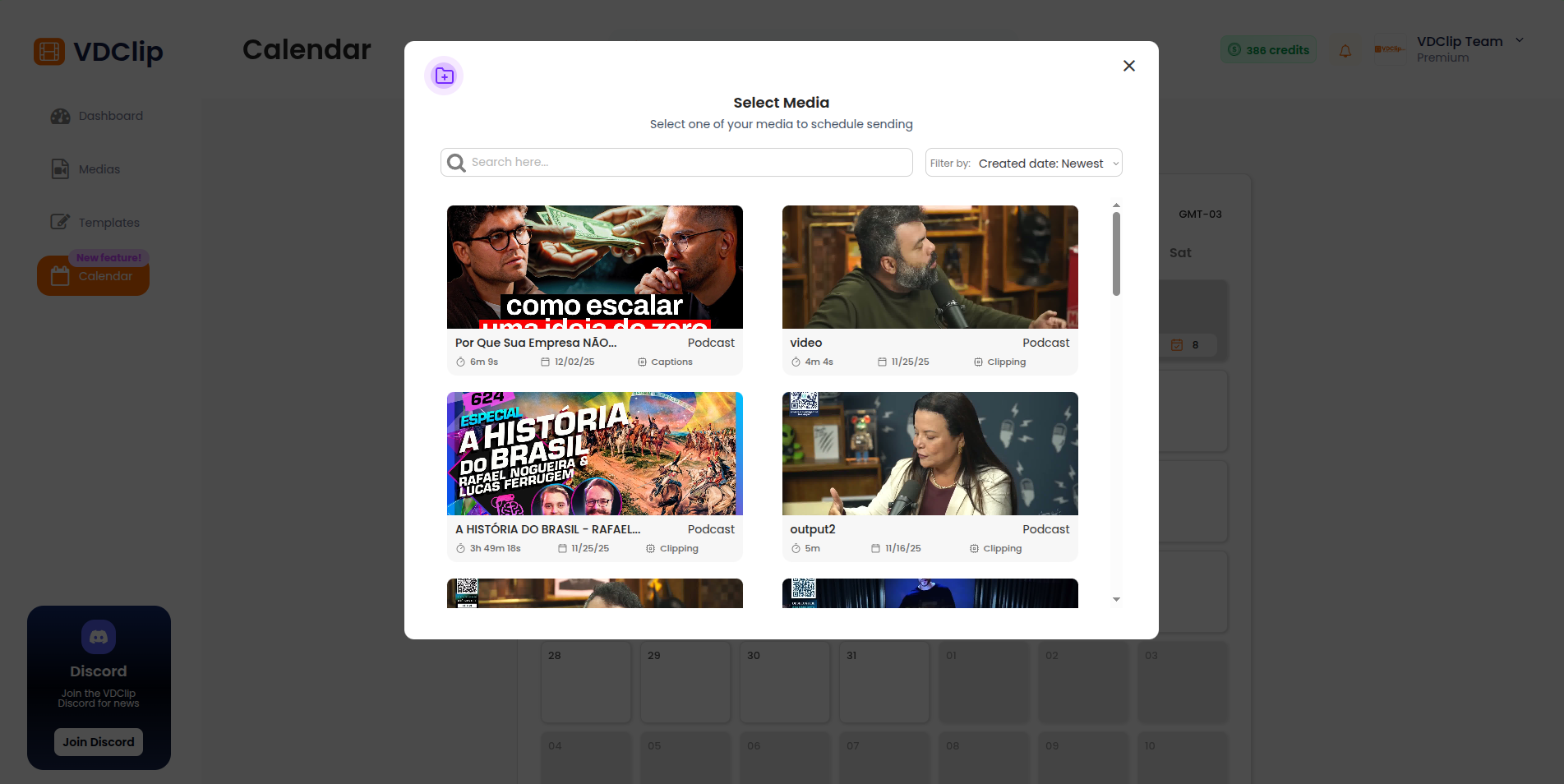
Step 3: Select Processed Media
Select the processed media you want to use from your media library. Choose the video that you’ve already processed in VDClip.
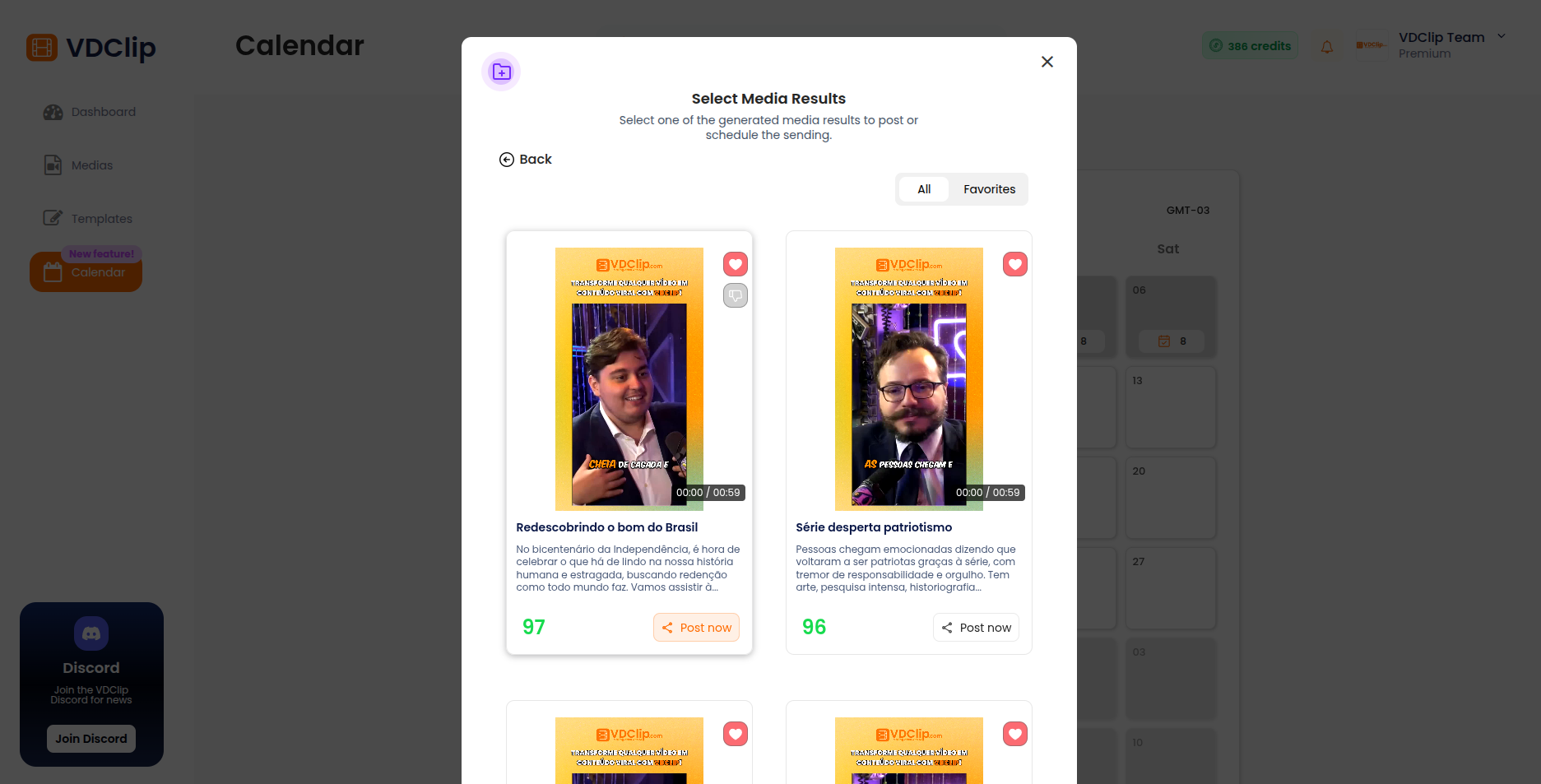
Step 4: Select Media to Post
After selecting the processed media, choose the specific media file you want to post to the social network.
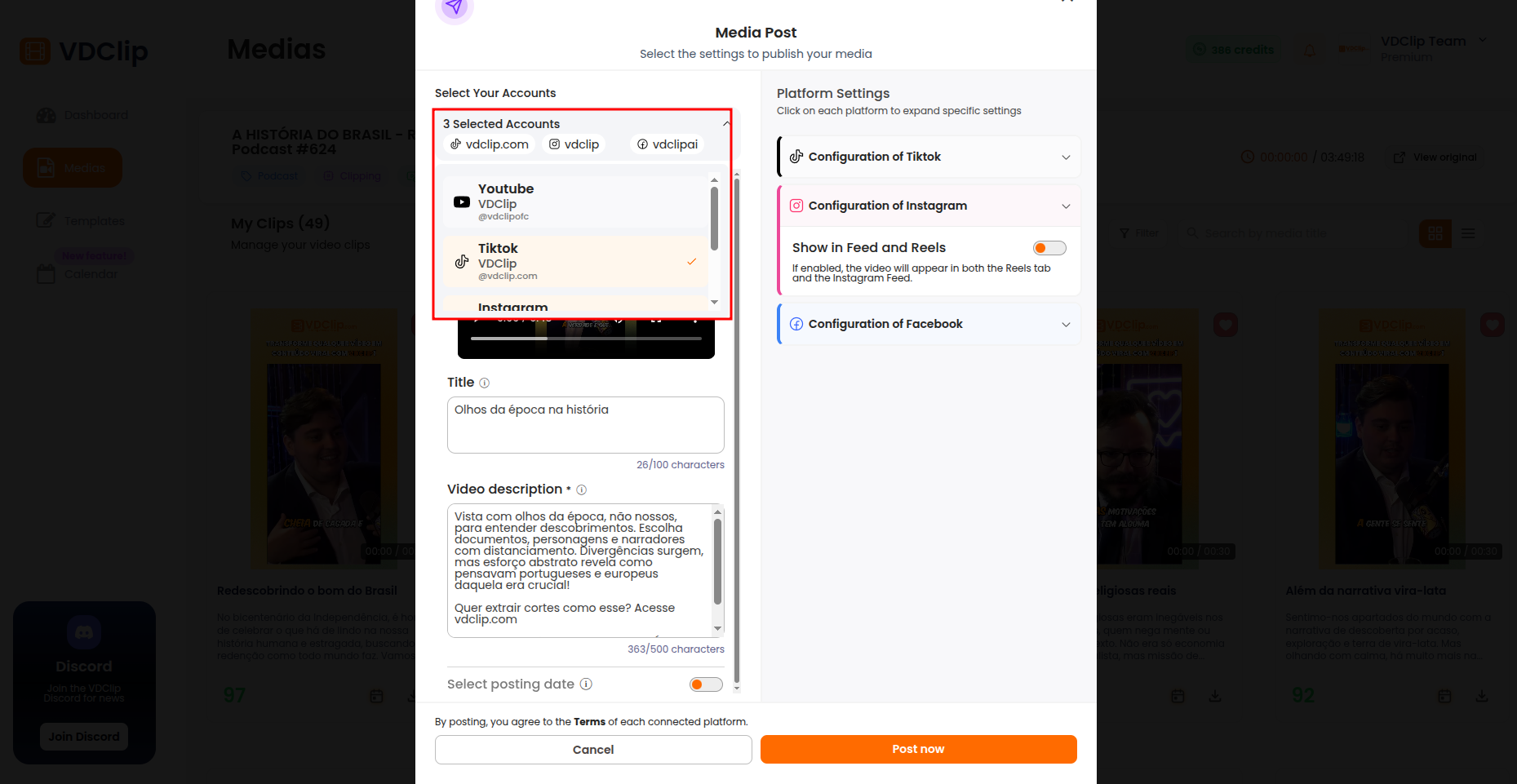
Step 5: Select Accounts
Select which social media accounts you want to publish to. You can choose one or multiple accounts across different platforms.
Step 6: Configure and Publish
Configure your post details such as title, description, and other settings. Once you’ve configured everything, choose to:
- Post Now: Publish immediately to selected platforms
- Schedule: Set a date and time for future publication
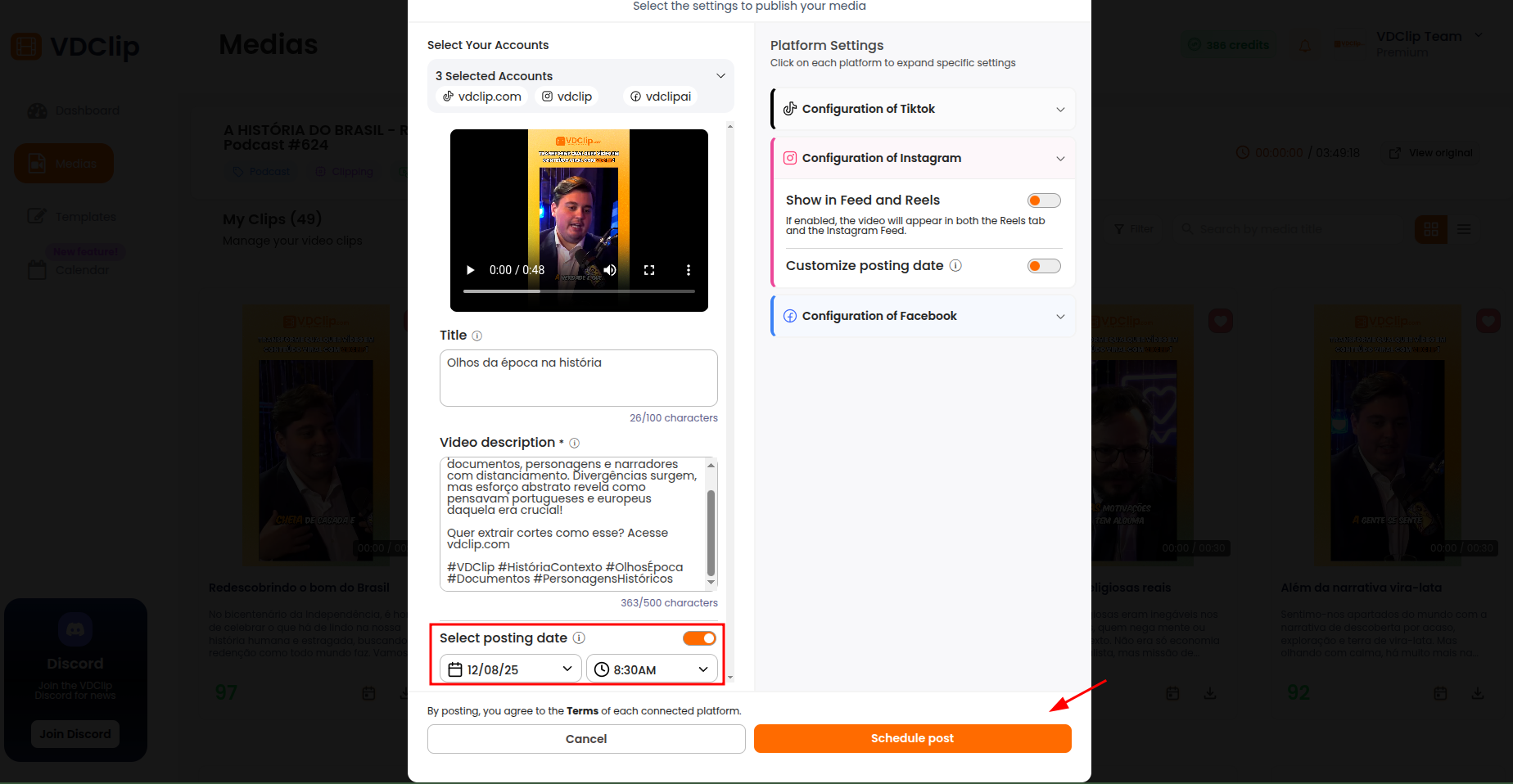
After scheduling or posting, you can view and manage your posts in the calendar.
Posting Limitations
⚠️ Important: Posting limits vary by plan. Some plans have restrictions on the number of posts you can schedule per day or month. Check the pricing page to see the limits for your plan and explore upgrade options.
Engagement Tips
To maximize your social media engagement and grow your audience, consider these best practices:
Consistent Posting Schedule
Maintain a regular posting schedule to keep your audience engaged. Use the calendar to plan your content weeks or months in advance.
Optimal Posting Times
Research and schedule posts during peak engagement times for your audience. Different platforms and audiences have different optimal times.
Quality Over Quantity
Focus on creating high-quality content that provides value to your audience rather than posting frequently with low-quality content.
Platform-Specific Content
While you can publish the same video to multiple platforms, consider adapting captions and descriptions to match each platform's style and audience.
Engage with Your Audience
Respond to comments and messages promptly. Active engagement helps build a loyal community around your content.
Analyze and Adapt
Monitor your post performance and adjust your content strategy based on what resonates most with your audience.