Templates
Templates in VDClip allow you to save and reuse your preferred layout and caption configurations in a single template, ensuring consistency across all your video content while saving valuable time.
What Are Templates?
Templates are pre-configured settings that combine both layout and caption configurations in one place. A single template includes:
- Layout configurations - Aspect ratios, face tracking, and layout styles
- Caption styling - Fonts, colors, animations, and positioning
Once created, templates can be applied to any video with a single click, and you can set a default template to automatically use your preferred settings for all new projects.
Layout Settings
Configure aspect ratios, face tracking, and layout styles for consistent video composition
Caption Settings
Customize fonts, colors, animations, and positioning for professional-looking captions
Creating a Template
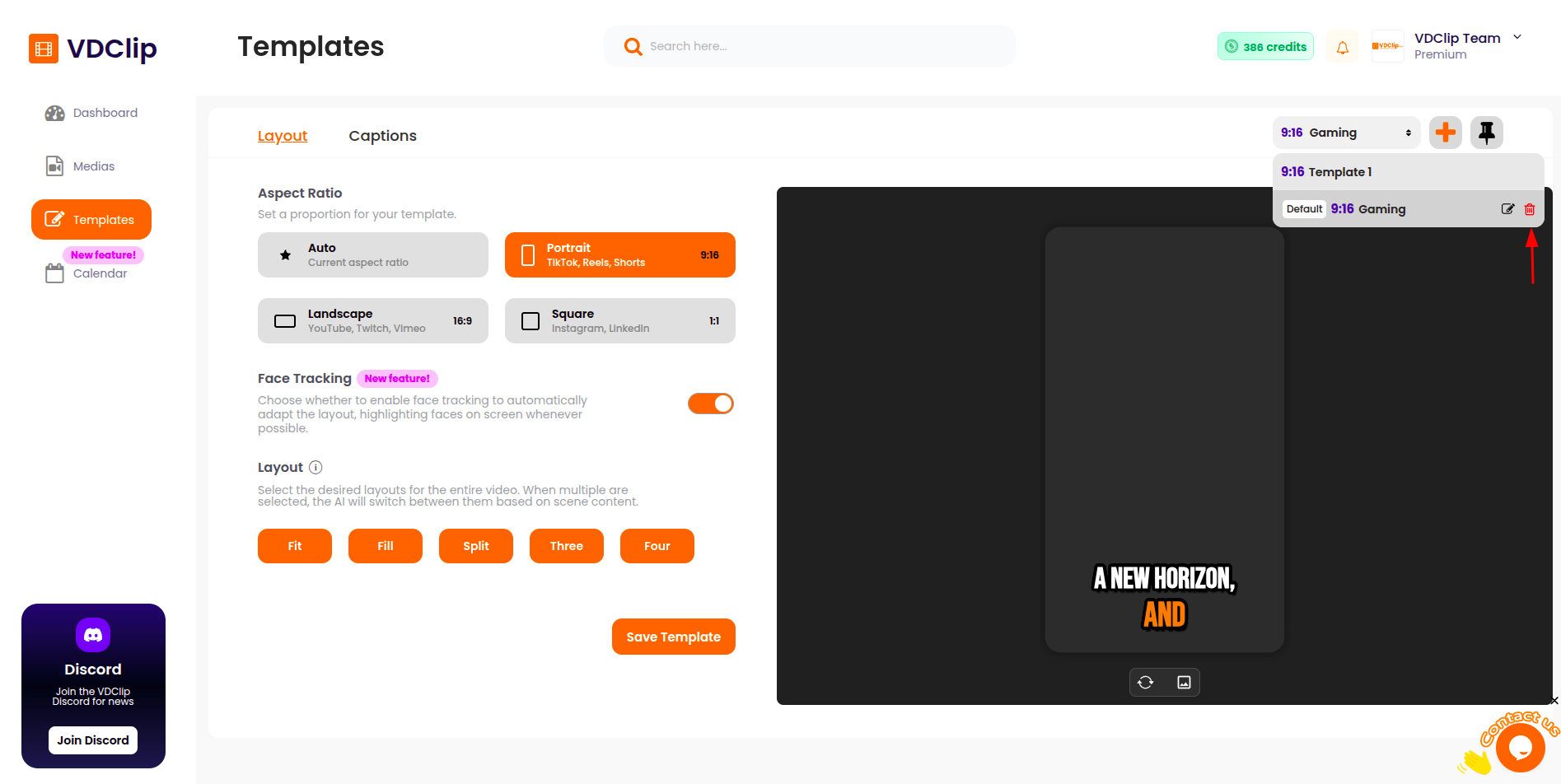
Templates combine both layout and caption settings in one configuration. You can create templates directly from the template editor, where you’ll configure all your preferences at once.
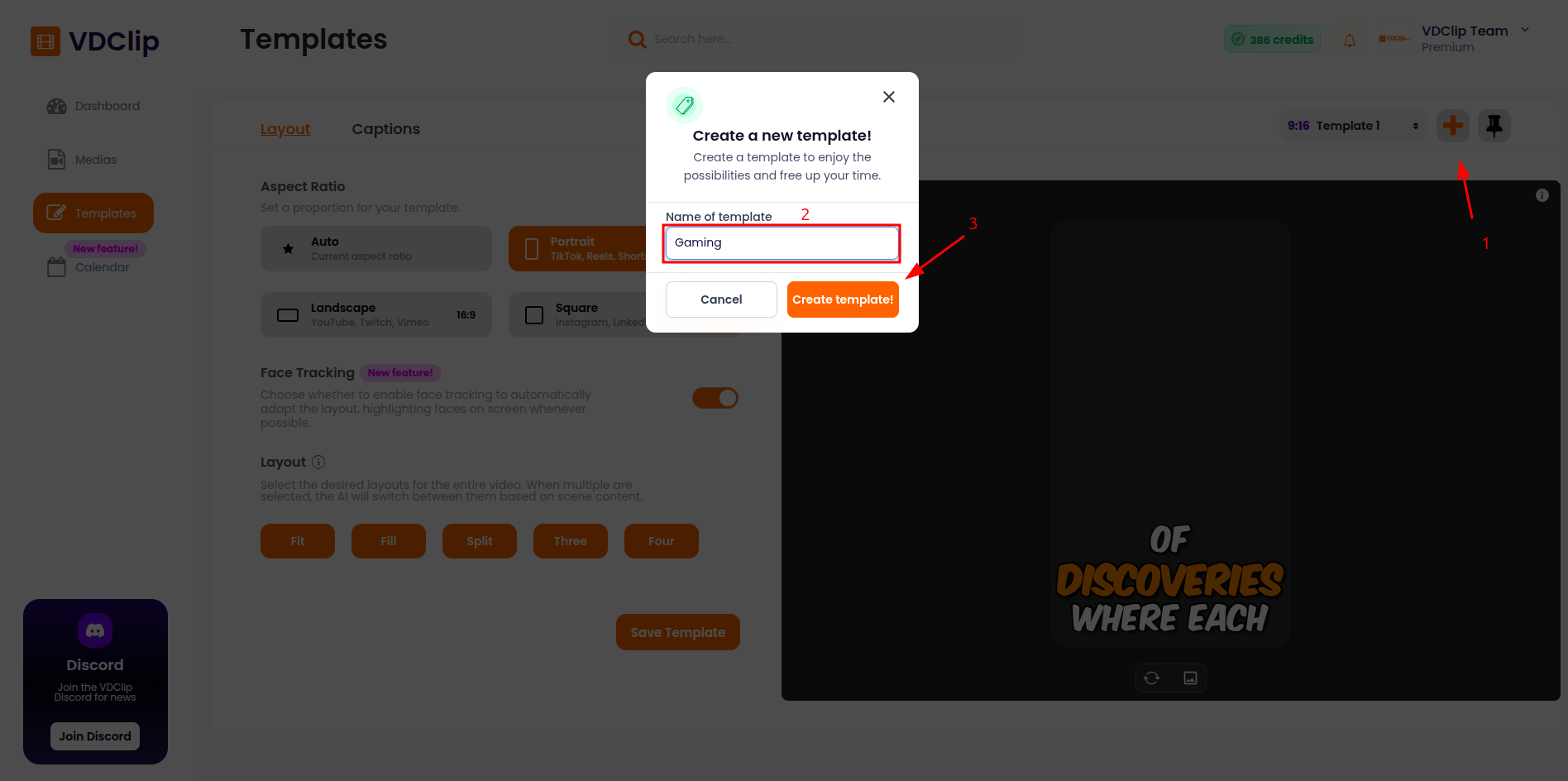
Note: Template limits vary by plan. Check VDClip Pricing for your plan’s template limits.
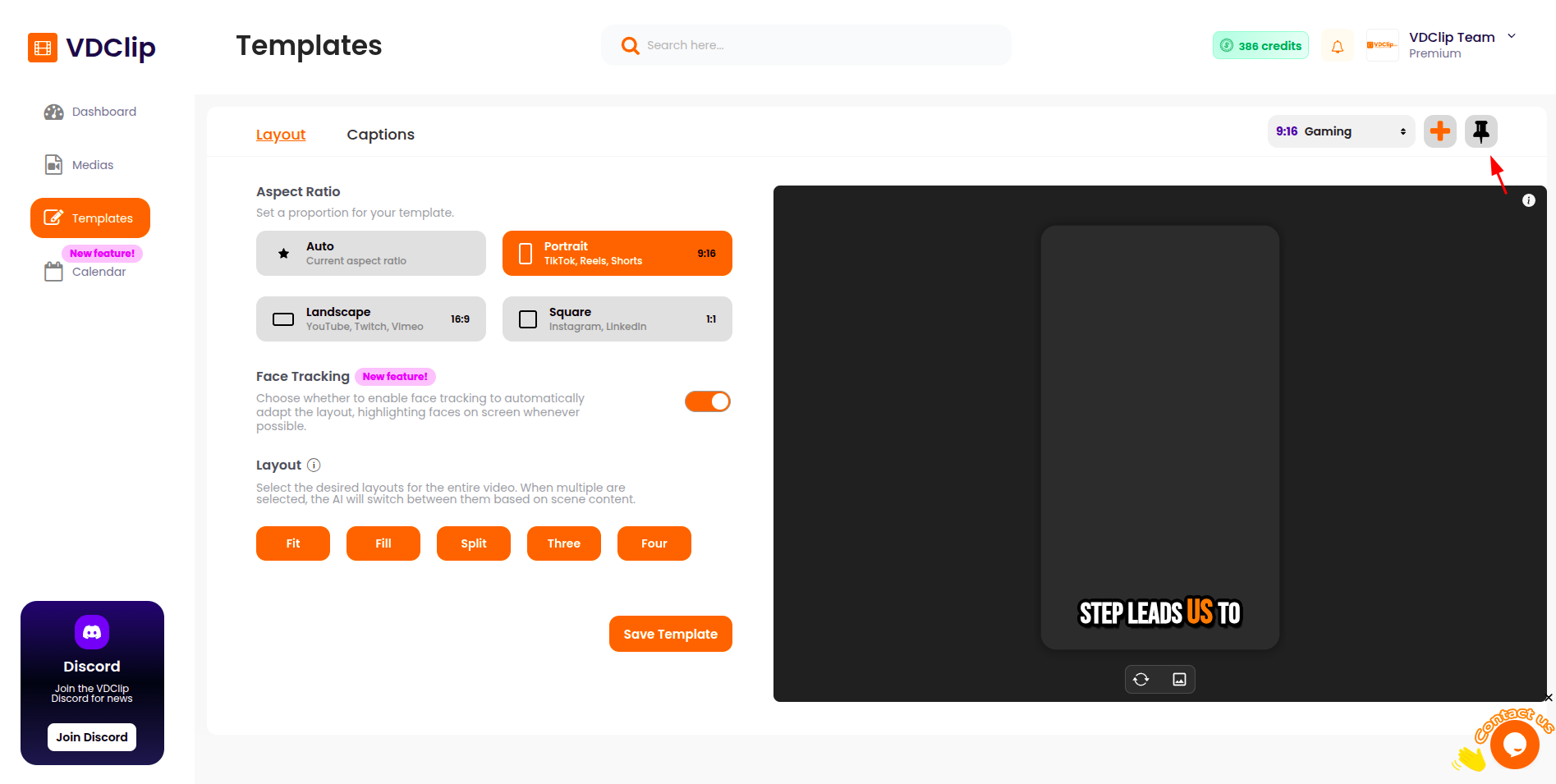
Setting Template as Default
Make a template your default choice so it’s automatically applied to new videos and projects. When you set a template as default, it will be the pre-selected option during video processing.
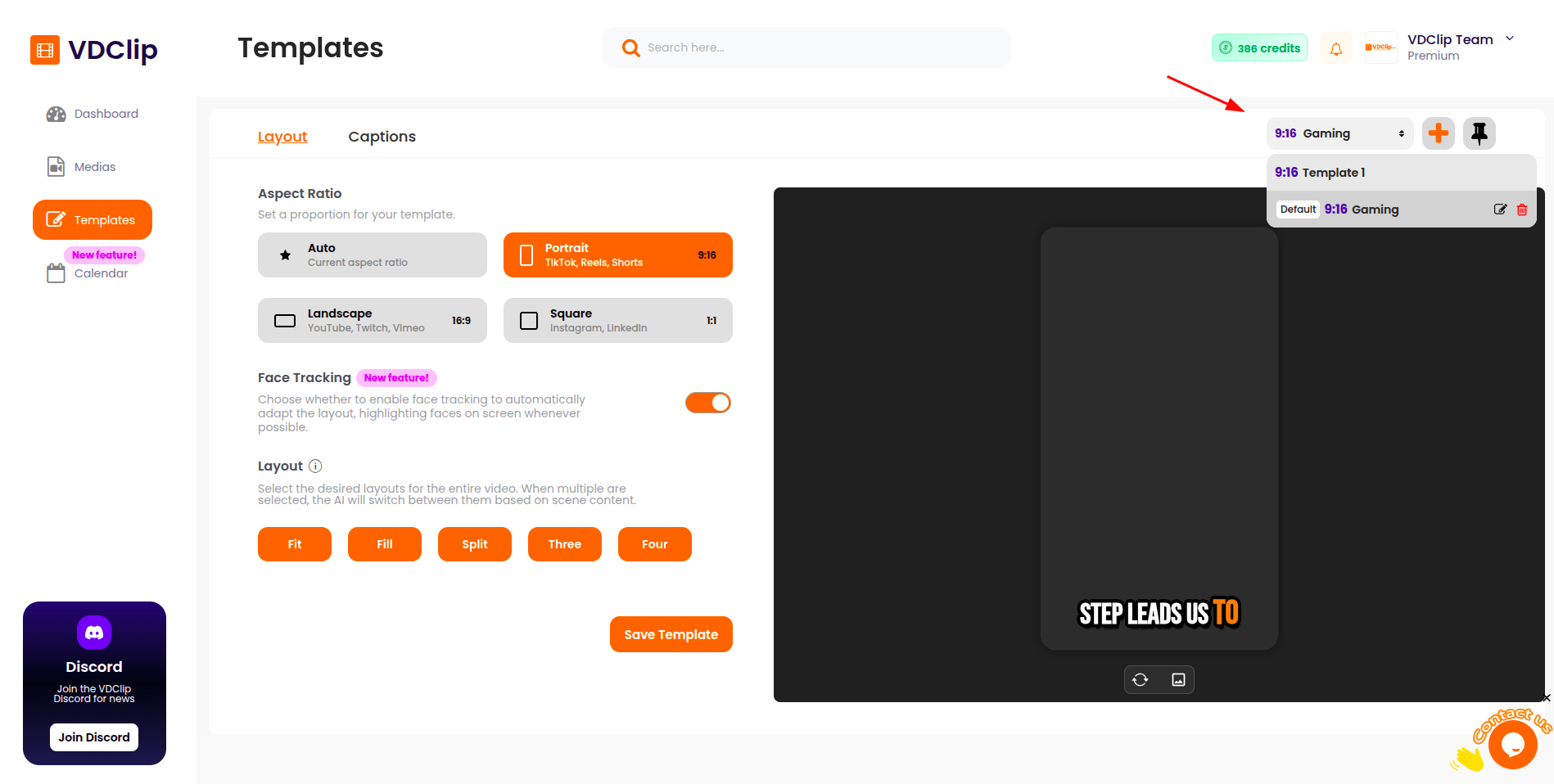
Listing Templates
View and organize all your saved templates in your template library. Browse through your configurations to find the perfect template for your project.
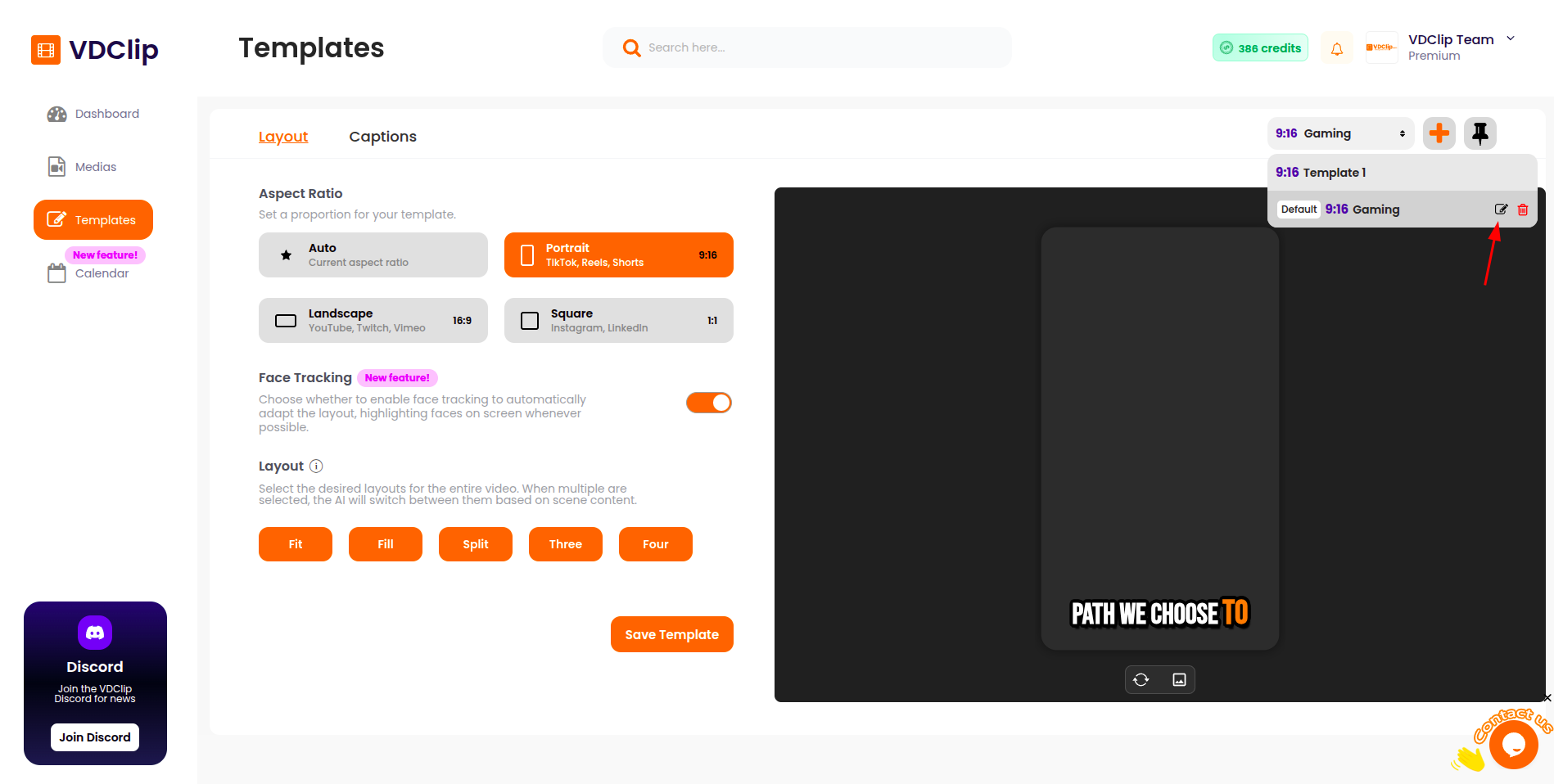
Renaming a Template
Give your templates clear, descriptive names to easily identify them later. Rename templates to better organize your library and make it easier to find the right configuration for each project.
Deleting Templates
Remove unused or outdated templates from your library to keep your workspace organized and make room for new configurations.
Template vs Preset
Choose templates when you need complete control over both layout and caption settings for consistent branding. Use presets when you want quick, standardized caption styling that you can apply within the caption settings of a template without configuring everything from scratch.
Template
Complete configuration with layout and caption settings together
Best for complete branding
Preset
Pre-defined caption styling ready to apply
Best for quick styling