Calendar
The Calendar is your central command center for managing all your content. Plan, schedule, and track your posts across Instagram, Facebook, TikTok, YouTube, and other platforms from one unified interface.
Screenshot: Calendar interface overview | Add image at /img/docs/calendar/calendar-overview.png
Open Calendar →
Understanding the Calendar
The calendar provides a visual overview of your entire content schedule. Each day displays indicators showing how many posts you have scheduled, making it easy to see your content distribution at a glance.
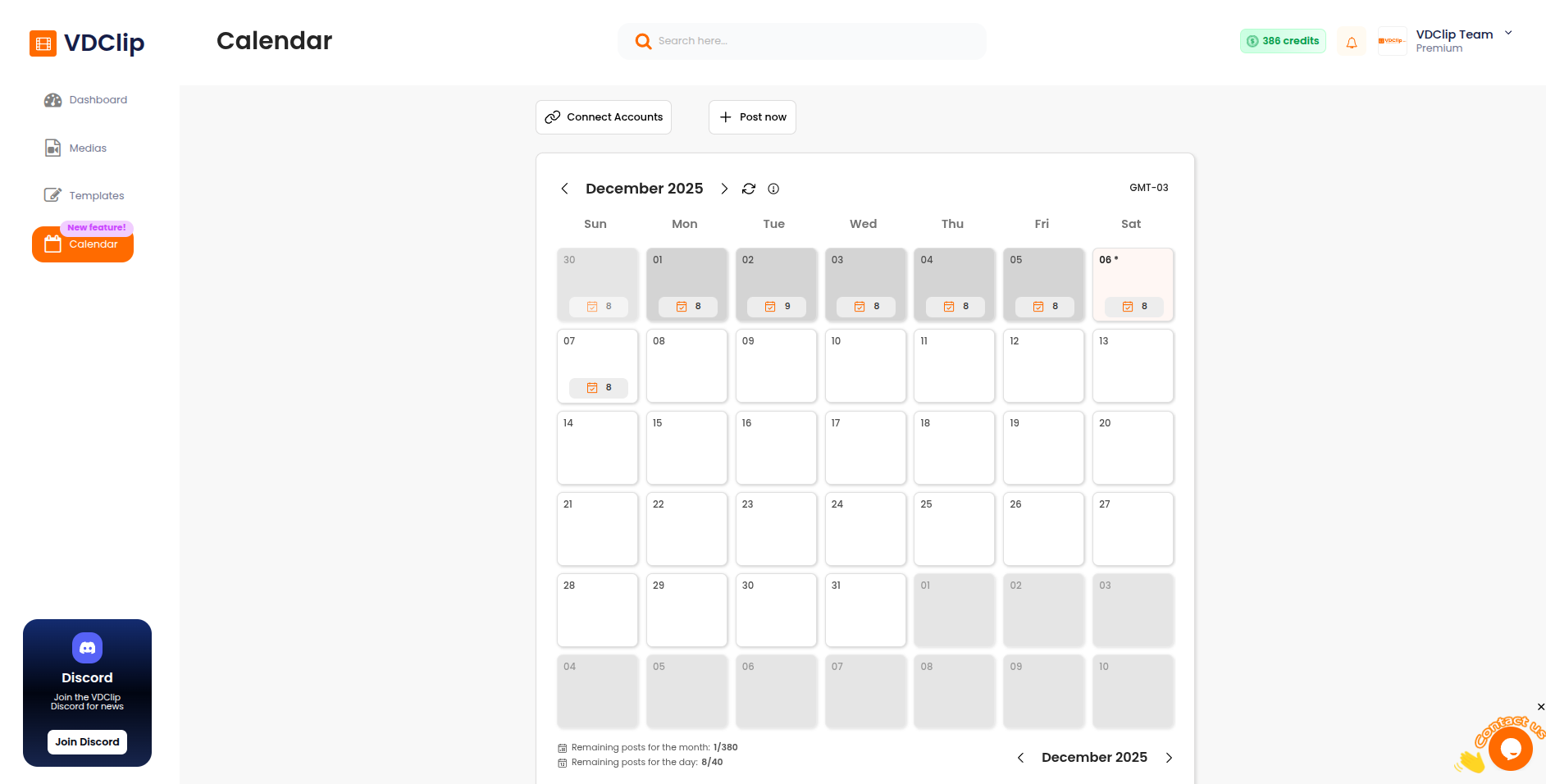
Post Quota: The calendar displays your remaining posts quota for both the current month and day at the bottom. Your post quota depends on the plan you have chosen. Check VDClip Pricing to see the limits for your plan.
Scheduling Window: You can schedule videos up to 2 months in advance. This allows you to plan your content strategy well ahead and maintain a consistent posting schedule across all your platforms.
Next Steps
Connecting Social Accounts
Connect your Instagram, Facebook, TikTok, and YouTube accounts to enable scheduling and posting
Publishing Media
Publish videos to all your connected social media accounts simultaneously. Configure title, description, and other settings in one place.
Managing Posts
View, edit, reschedule, cancel, and manage your scheduled posts in the calendar