Connecting TikTok
Connect your TikTok account to schedule and post videos directly from VDClip. This guide will walk you through everything you need to know before and during the connection process.
Before You Start
Before attempting to connect your TikTok account, make sure you meet the following requirements:
- ✓Compliance with TikTok Guidelines
Your TikTok account must comply with TikTok’s community guidelines and terms of service.
Step-by-Step Connection Guide
Follow these detailed steps to connect your TikTok account to VDClip:
📅 Step 1: Access Calendar and Social Accounts
Navigate to the Calendar section in your VDClip dashboard, then access the Social Accounts settings.
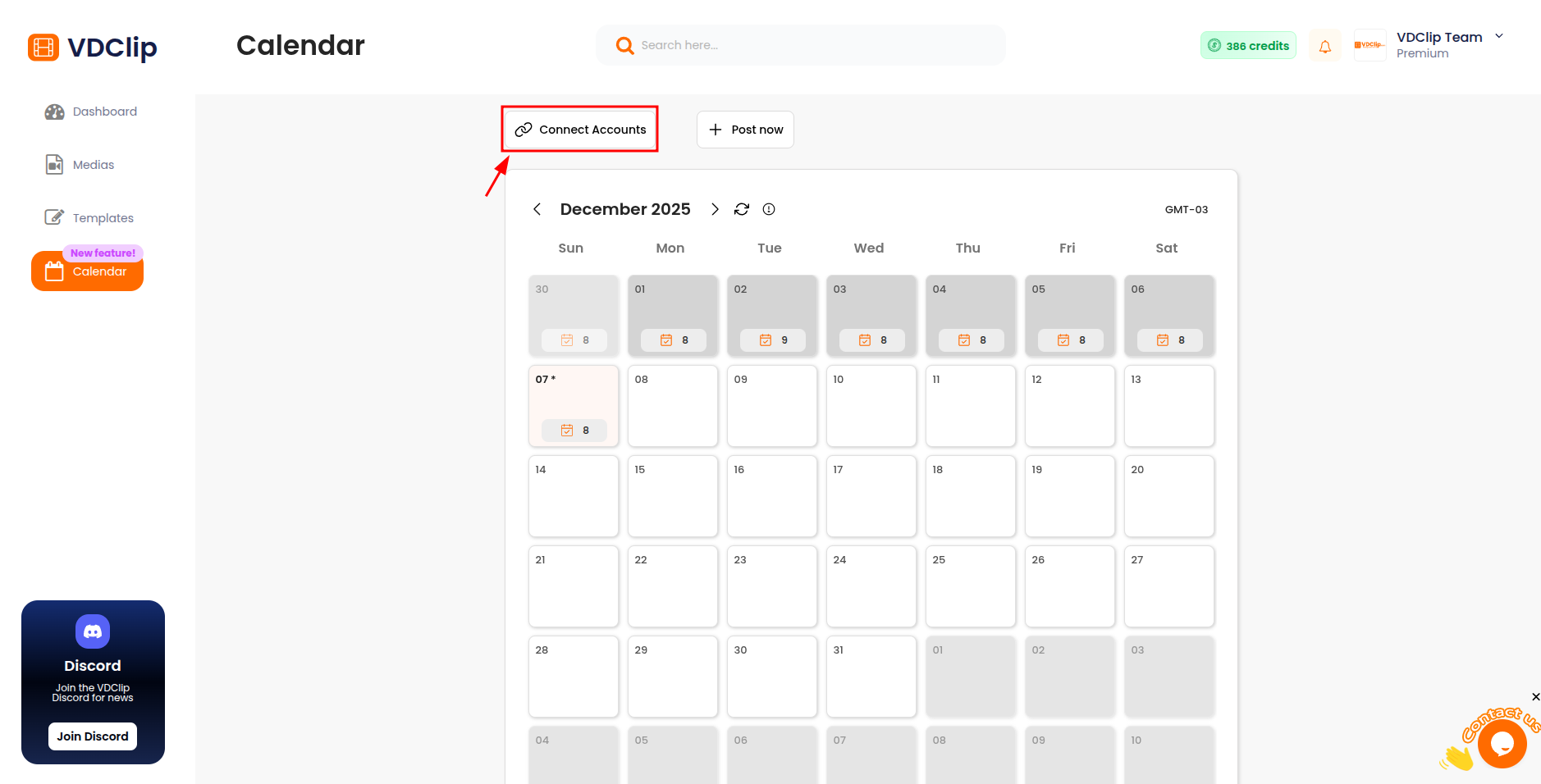
🔗 Step 2: Click “Connect Account” and Select TikTok
In the Social Accounts section, click on the “Connect Account” button. This button is used to connect social media accounts. A popup will open showing available platforms. Select TikTok from the available options to begin the connection process.
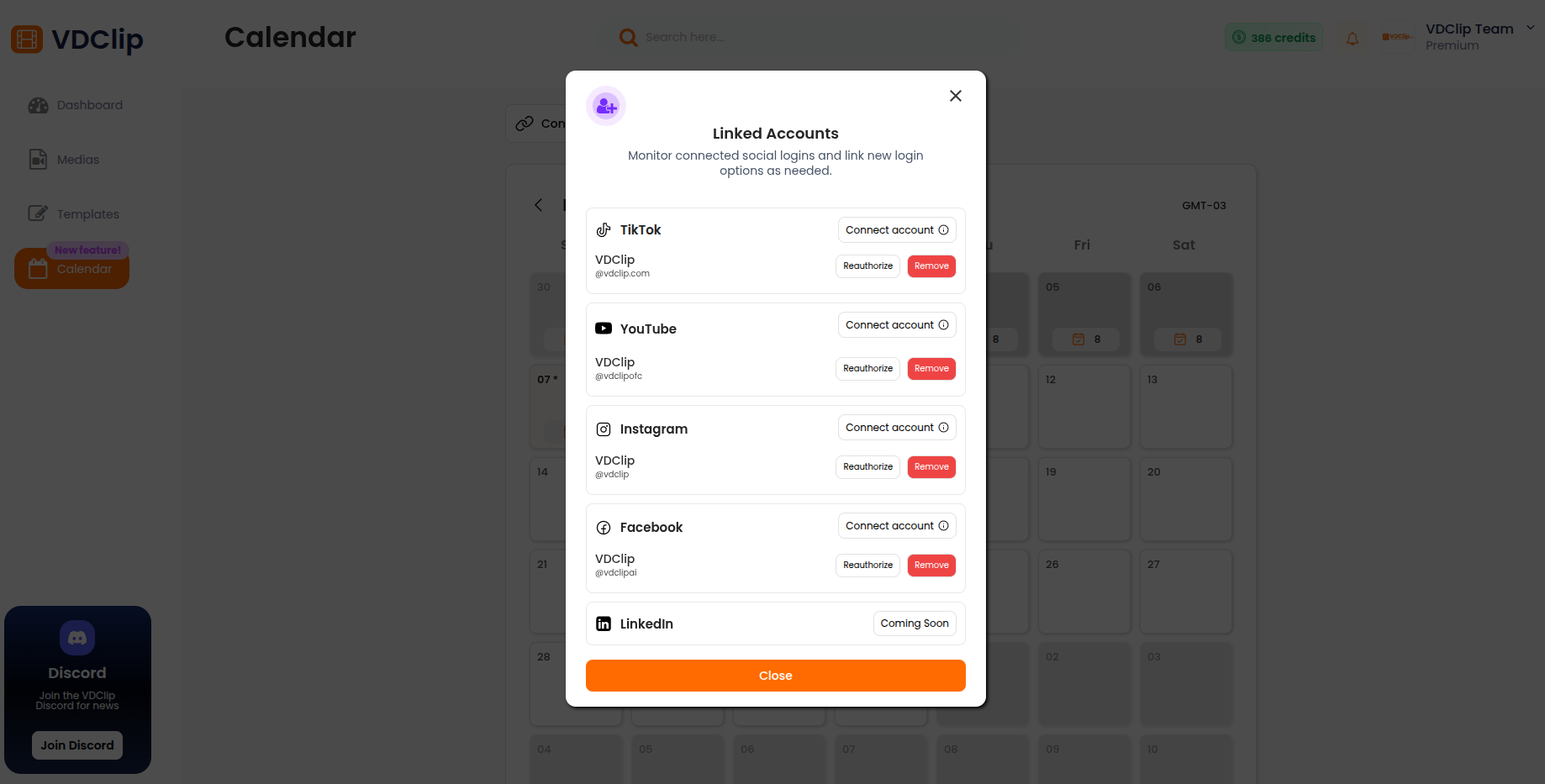
🔐 Step 3: TikTok OAuth Authorization
You’ll be redirected to TikTok’s authorization page. Follow the on-screen instructions to authorize VDClip to access your TikTok account.
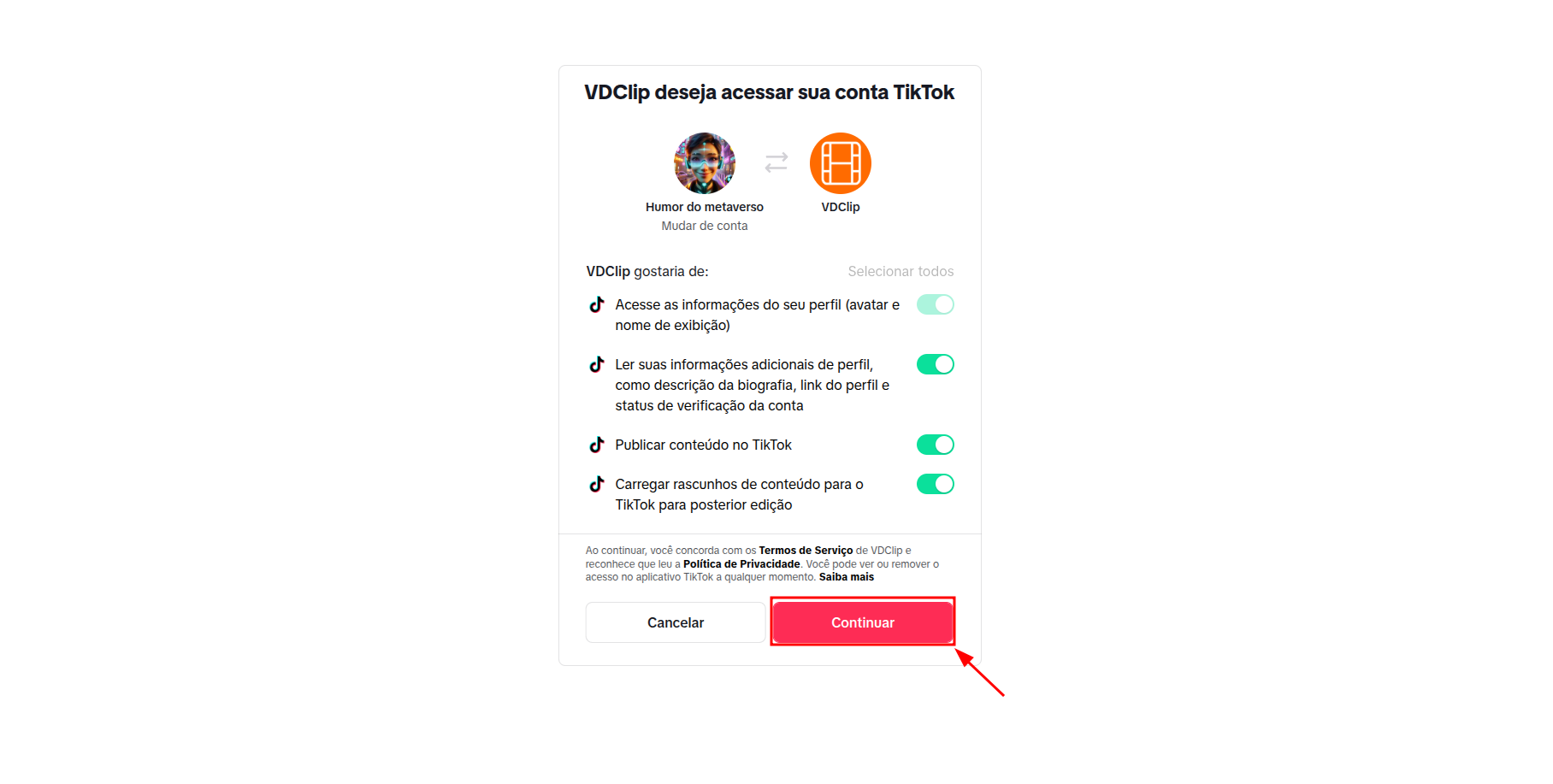
Important: You must accept all requested permissions during the authorization process. All permissions are required for VDClip to schedule and publish videos to your TikTok account.
✨ Step 4: Connection Successful
After completing the TikTok authorization, you’ll be redirected back to the VDClip platform. Your TikTok account connection has been successfully completed. You can now see your connected TikTok account in the calendar’s account listing and start using it immediately for scheduling and posting videos.