AI Clipping
VDClip’s AI Clipping uses advanced artificial intelligence to automatically identify and extract the best viral moments from your videos, making it perfect for ready-to-share social media content.
What AI Clipping Does
How It Works
The AI analyzes your video through four parallel processes:
Visual Analysis
Detects scene changes, visual interest points, and action sequences
Audio Analysis
Identifies audio peaks, dialogue, emotional cues, and sound effects
Content Understanding
Understands context, narrative structure, and detects viral-worthy moments
Facial Tracking
Tracks faces and expressions to identify engaging moments and reactions
How to Use AI Clipping
Step 1: Provide a Video URL
From your VDClip dashboard, start a new AI Clipping process by providing a video URL (YouTube, Vimeo, or other supported platforms).
Step 2: Configure Processing Options
After the video is loaded, the process configuration screen appears with the following options:
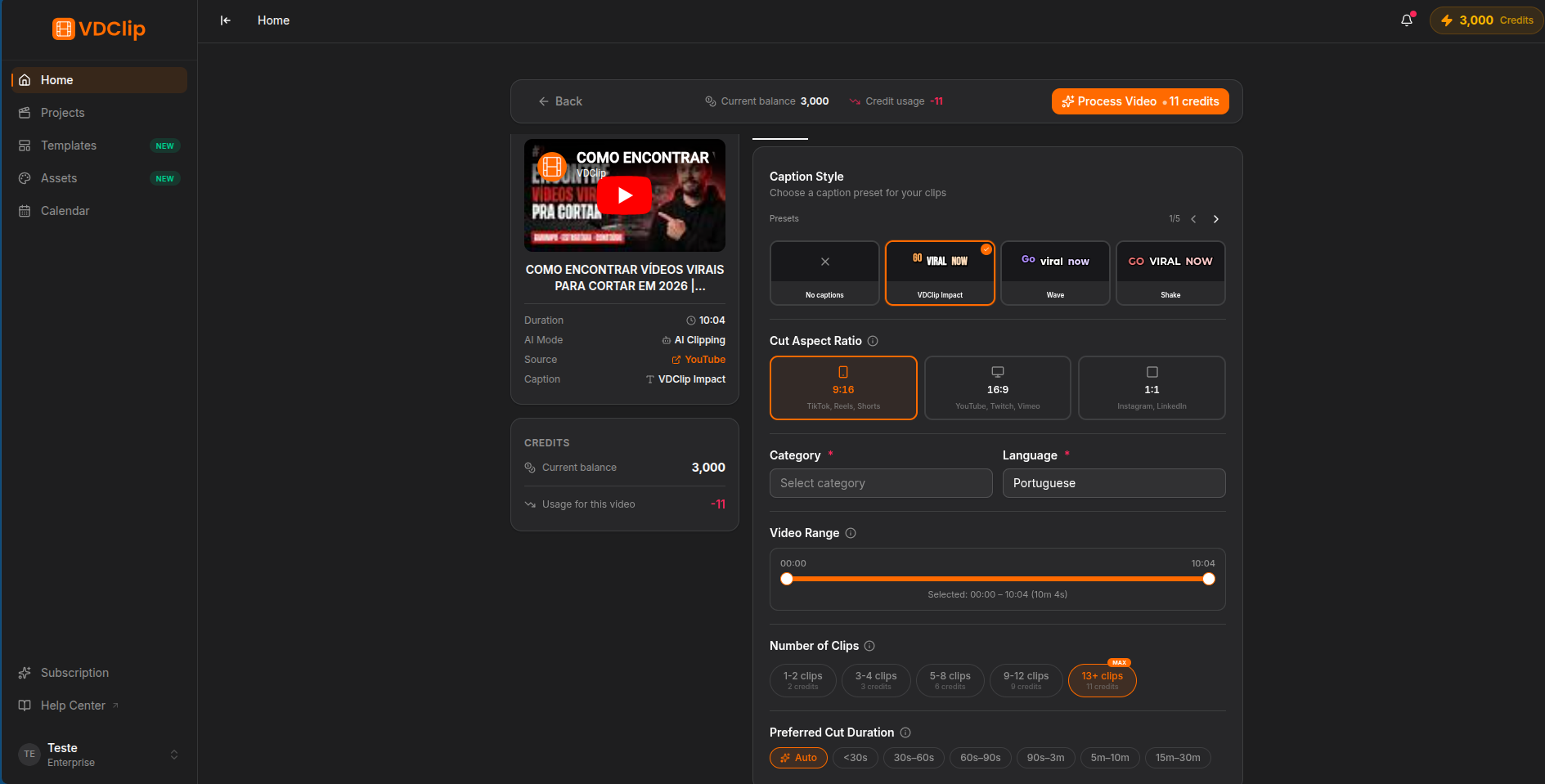
Step 3: Start Processing
Once you have configured all options, click the process button. The AI will analyze your video and extract clips based on your settings. Processing time depends on the video length and selected options.
Credit Usage
Credits are consumed based on the duration of uploaded video.
Credit rates may vary by plan. Check the pricing page for current rates and plan details.
Best Practices for AI Clipping
Since the AI identifies the best moments primarily through audio analysis, focus on audio quality:
Clean Audio
Use clear, high-quality audio without background noise. The AI detects dialogue and key moments through audio peaks
Engaging Dialogue
Videos with engaging conversations and clear speech help the AI identify the most interesting moments more accurately
Good Conversation Volume
Videos with substantial dialogue content work best. The AI analyzes speech patterns to find viral-worthy segments
Well-Lit Footage
Good lighting improves visual analysis accuracy and helps identify key moments alongside audio cues
Tips & Tricks
Shorter clips (15-30s) work best for TikTok and Instagram Reels. Longer clips (60-90s) are ideal for YouTube Shorts or standalone content.
For long videos like podcasts or livestreams, narrow the analysis range to the most interesting section. This improves clip quality and reduces processing time.
Choose 9:16 for TikTok and Instagram Reels, 1:1 for Instagram feed posts, or 16:9 for YouTube. The AI adjusts framing automatically with face tracking.
Select a caption preset during configuration. Many viewers watch videos on mute, and captions can significantly increase engagement and conversion rates.
If you have Premium+, use the virality score to automatically identify the most engaging clips. This saves time and helps you focus on the best content.
Review the credit cost summary bar before starting. If credits are insufficient, you will see a dialog with upgrade options.