Account Switching
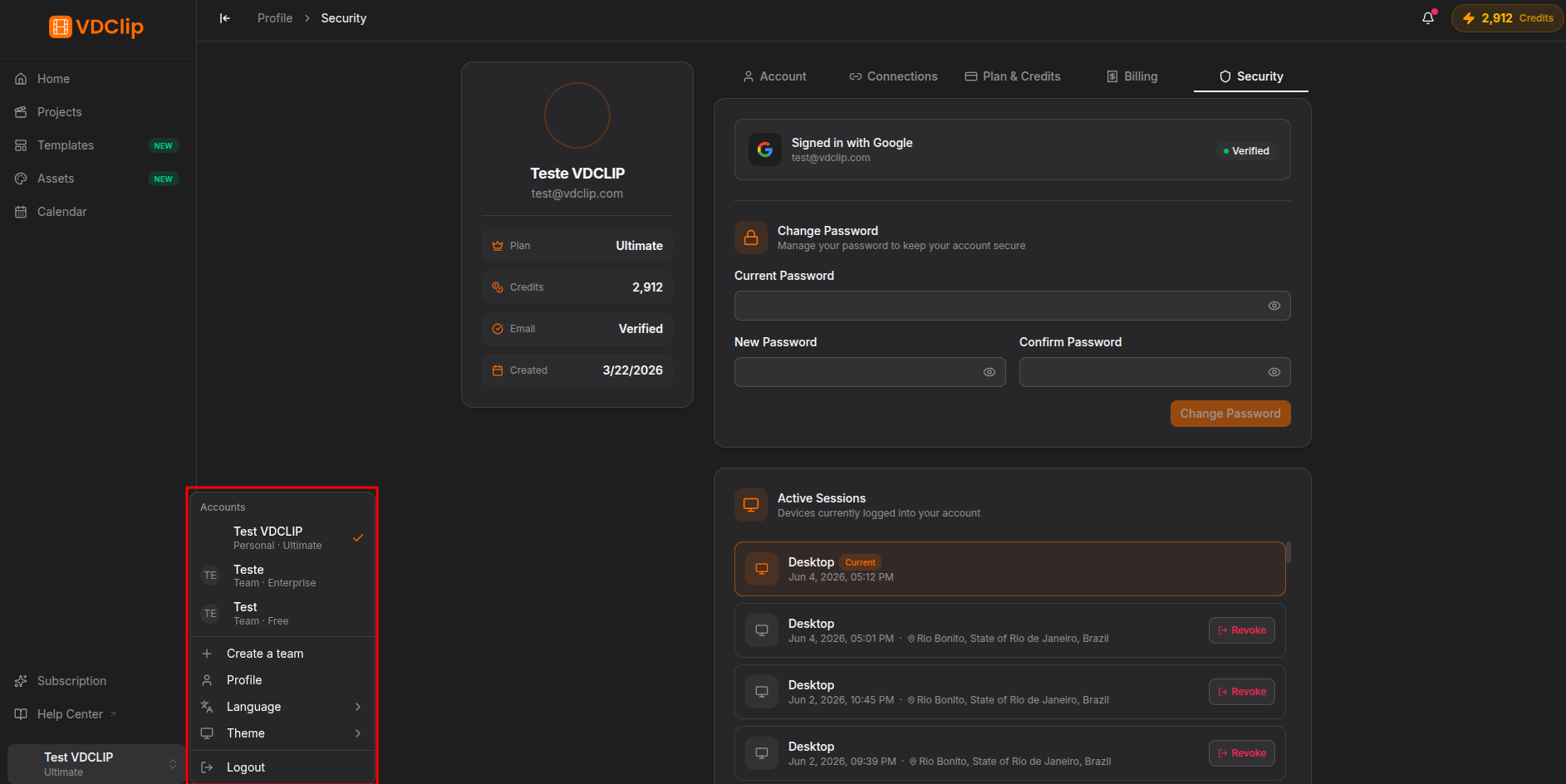
VDClip lets you switch between your personal account and any team you are part of. The switcher sits at the bottom of the sidebar and shows the active account with its avatar, name, and the “Personal” or “Team” label.
Switching Accounts
Open the switcher
Click your account button at the bottom of the sidebar. The dropdown lists all the accounts you have access to, with your personal account first and your teams after it.
Select the account
Click the account you want. A checkmark indicates which one is currently active.
Check the dashboard
The dashboard updates right away and shows the projects, media, credits, and settings of the selected account.
What Changes When You Switch
Each account has its own independent resources:
- Projects and media: separate libraries per account.
- Credits: the balance is per account. See the plans on the pricing page .
- Templates: teams can have their own set.
- Social accounts: connections are tied to the active account.
- Calendar and posts: each post belongs to the account that created it.
- Plan and billing: each account has its own subscription.
Creating a New Team
On your personal account, open the switcher and click Create Team. Type a name in the dialog and confirm with Create. You become the Owner automatically and can start inviting members.
Leaving a Team
If you are not the Owner, switch to the team account, go to the team page, and click the Leave button (door icon) in the members list header. After confirming, you are removed and the team disappears from your switcher.