Calendar
The Calendar is where you manage your social media content. View your posting schedule on a monthly grid, track post quotas, manage connected accounts, and create new posts for Instagram, Facebook, TikTok, YouTube, LinkedIn, and Threads.
Open Calendar →
Calendar Interface
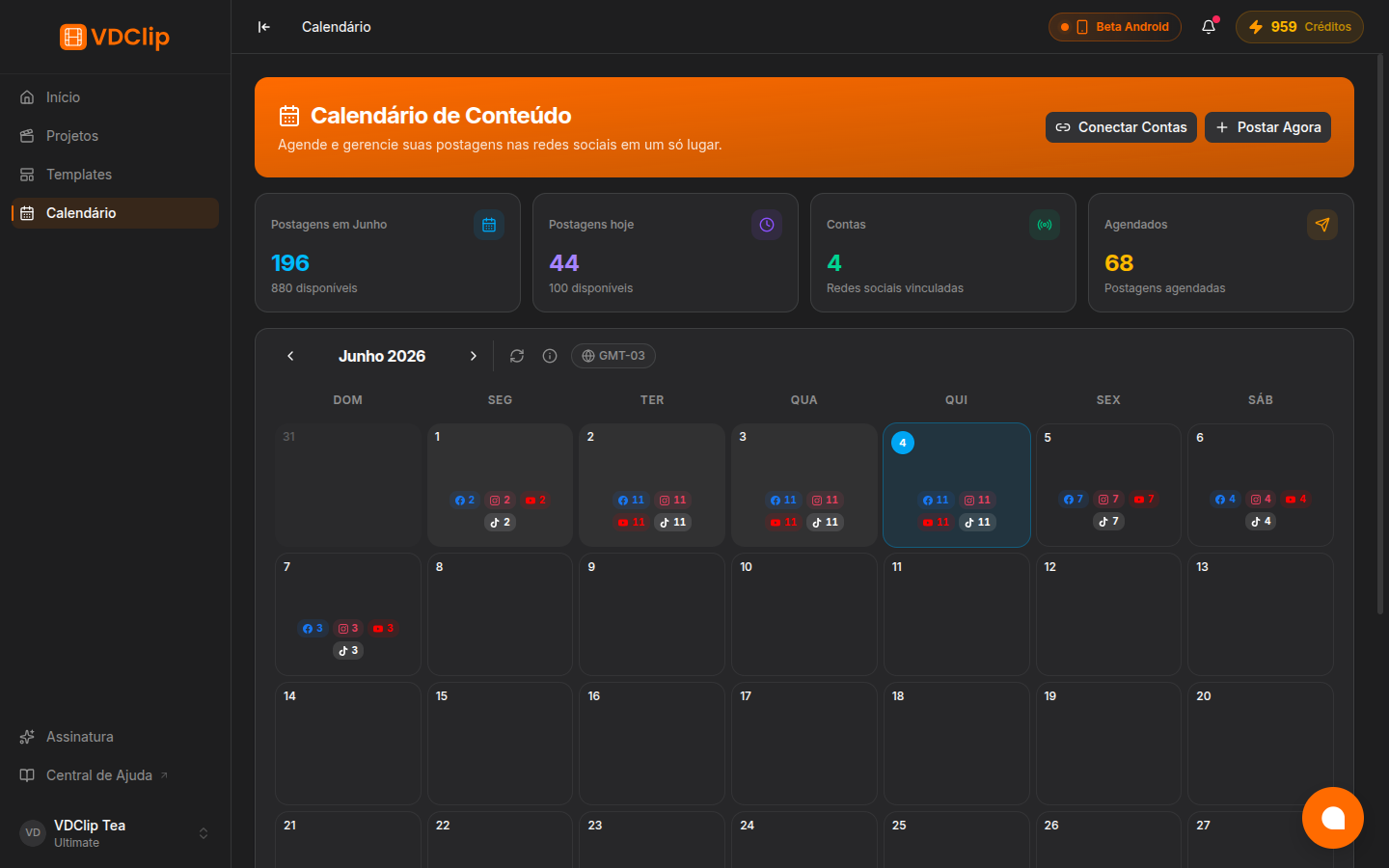
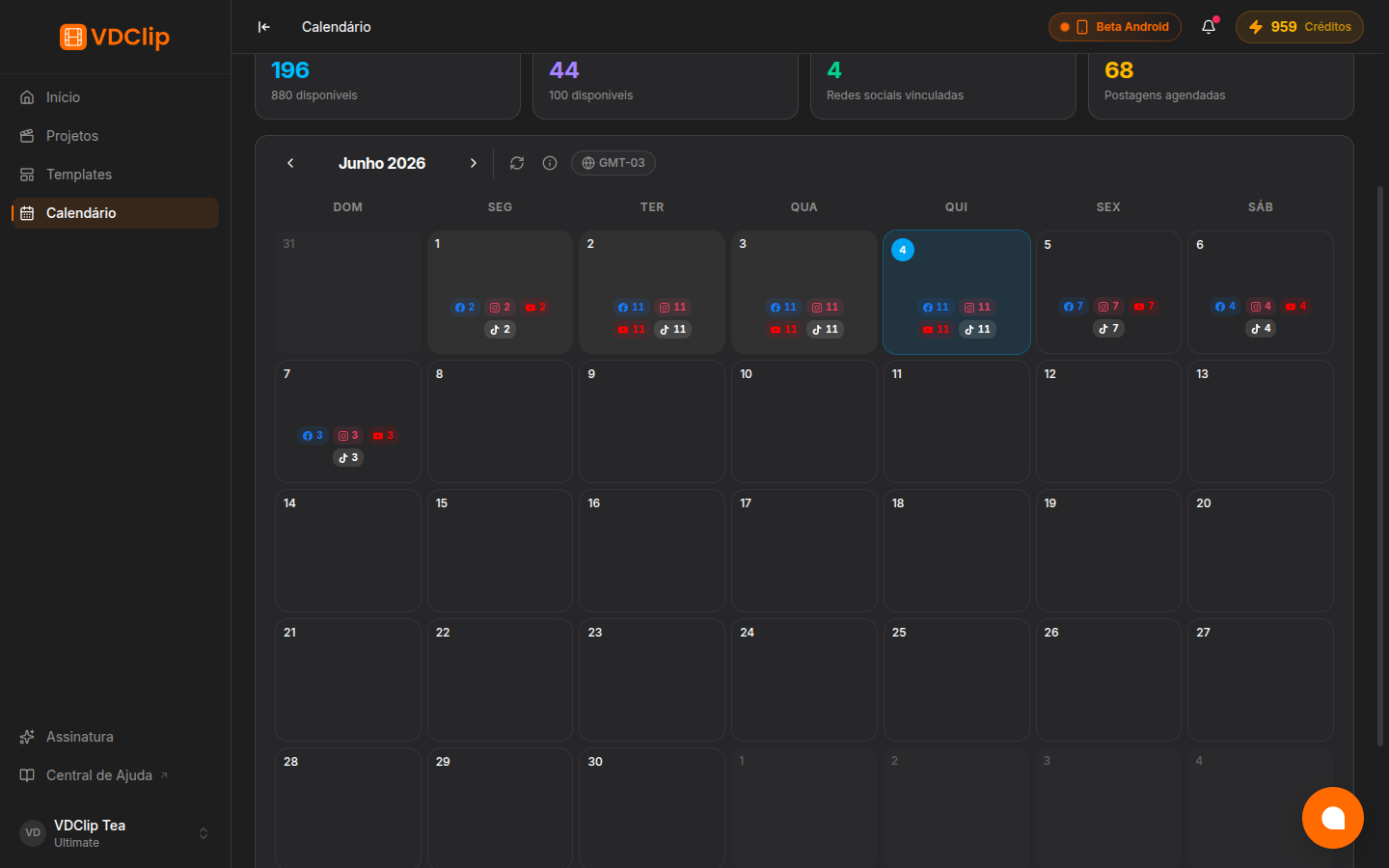
The calendar displays a month/year grid view with navigation arrows to move between months. Each day cell shows your scheduled posts with platform icons and color indicators, giving you a clear picture of your content distribution.
Monthly Grid View
Navigate between months using the arrow controls. Each day cell displays scheduled posts with platform-specific icons and colors.
Post Details
Click on any scheduled post to view its details. From there you can edit, delete, or reschedule the publication.
Stats Bar
The stats bar at the bottom shows your post quota usage for the current month and day, so you always know how many posts remain.
Account Management
Manage your connected accounts and configure account defaults directly from the calendar interface through the accounts dialog.
Post Quota and Scheduling
Post Quota: The calendar displays your remaining posts quota for both the current month and day at the bottom. Your post quota depends on the plan you have chosen. Check VDClip Pricing to see the limits for your plan.
Scheduling Window: You can schedule videos up to 2 months in advance. This allows you to plan your content strategy well ahead and maintain a consistent posting schedule across all your platforms.
Connected Accounts
The calendar integrates with your connected social media accounts. You can manage which accounts are active, set default posting preferences per account, and view connection status all from the calendar’s account management dialog.
To connect new accounts or troubleshoot existing connections, visit the Social Accounts settings.
Next Steps
Connecting Social Accounts
Connect your Instagram, Facebook, TikTok, YouTube, LinkedIn, and Threads accounts to enable scheduling and posting
Publishing Media
Select a clip, configure platform-specific settings, and publish or schedule to multiple accounts at once
Managing Posts
View, edit, reschedule, or delete your scheduled posts directly from the calendar