Post Configuration
Each connected account can have its own posting settings. They work as defaults: the text and options you define here are applied automatically to every new post from that account, so you do not need to repeat the same setup for each publication.
How to open it
Click Connect Accounts in Calendar to open the linked accounts list. Next to each account, click the post configuration icon to open that account’s options.
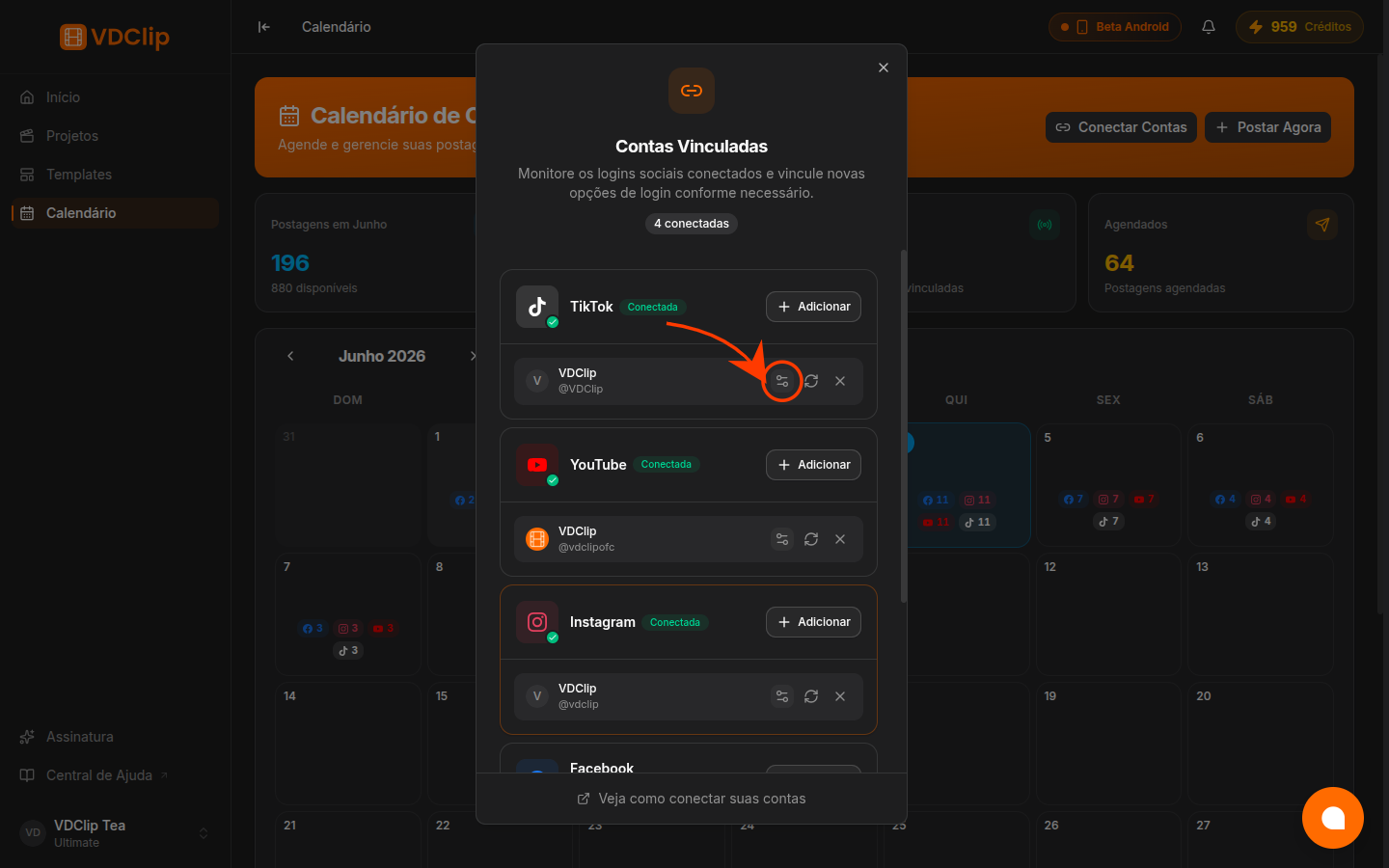
Description customization
Define text that is automatically added to your video title and description when posting. Use the Video description marker to include the original clip text, then add a fixed call to action, invitation, or website link around it.
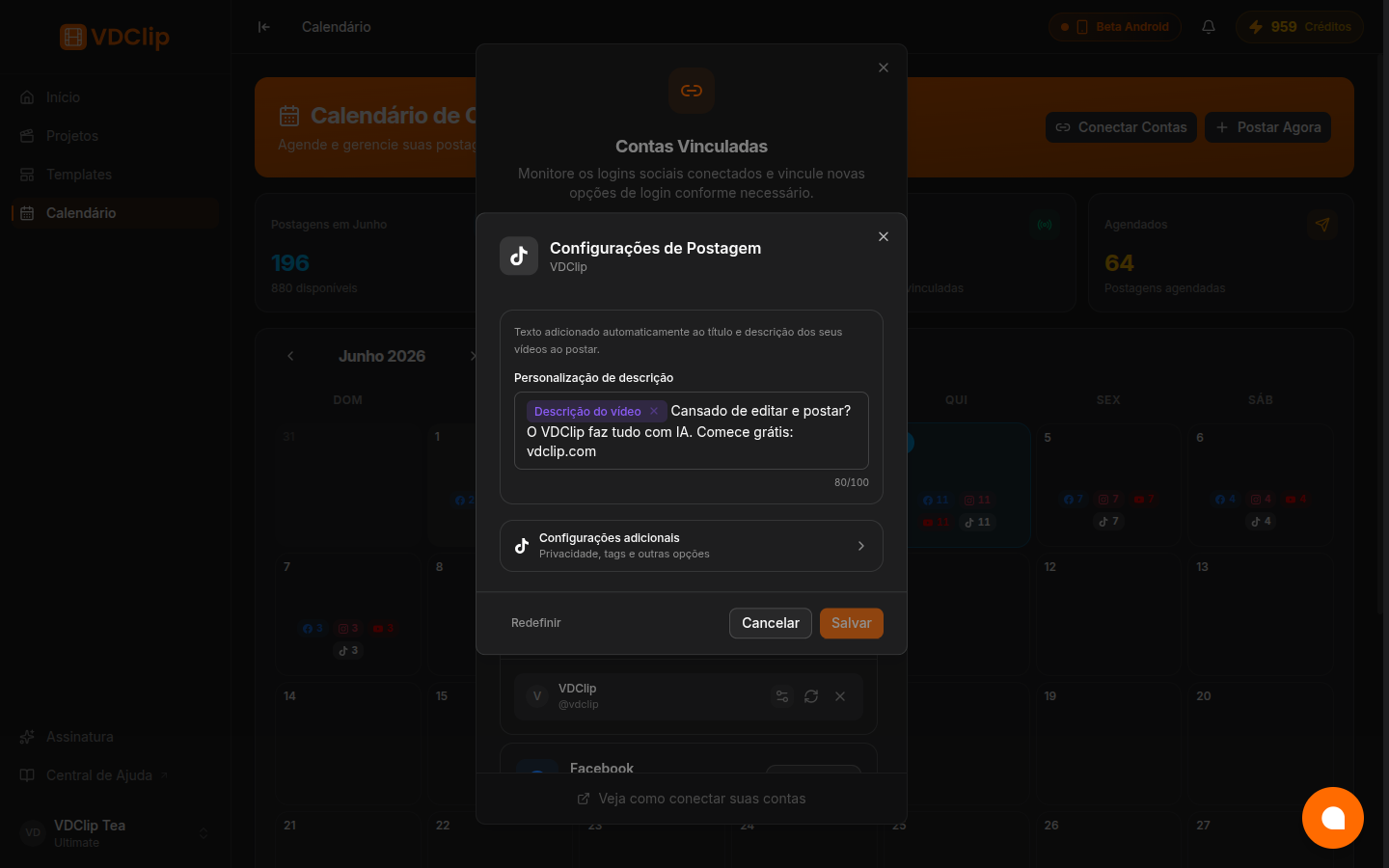
The field shows a character counter. The final result is what gets published: the video description plus the fixed text you added.
Additional settings
Open Additional settings to define platform-specific defaults for that account. The available options depend on the social network.
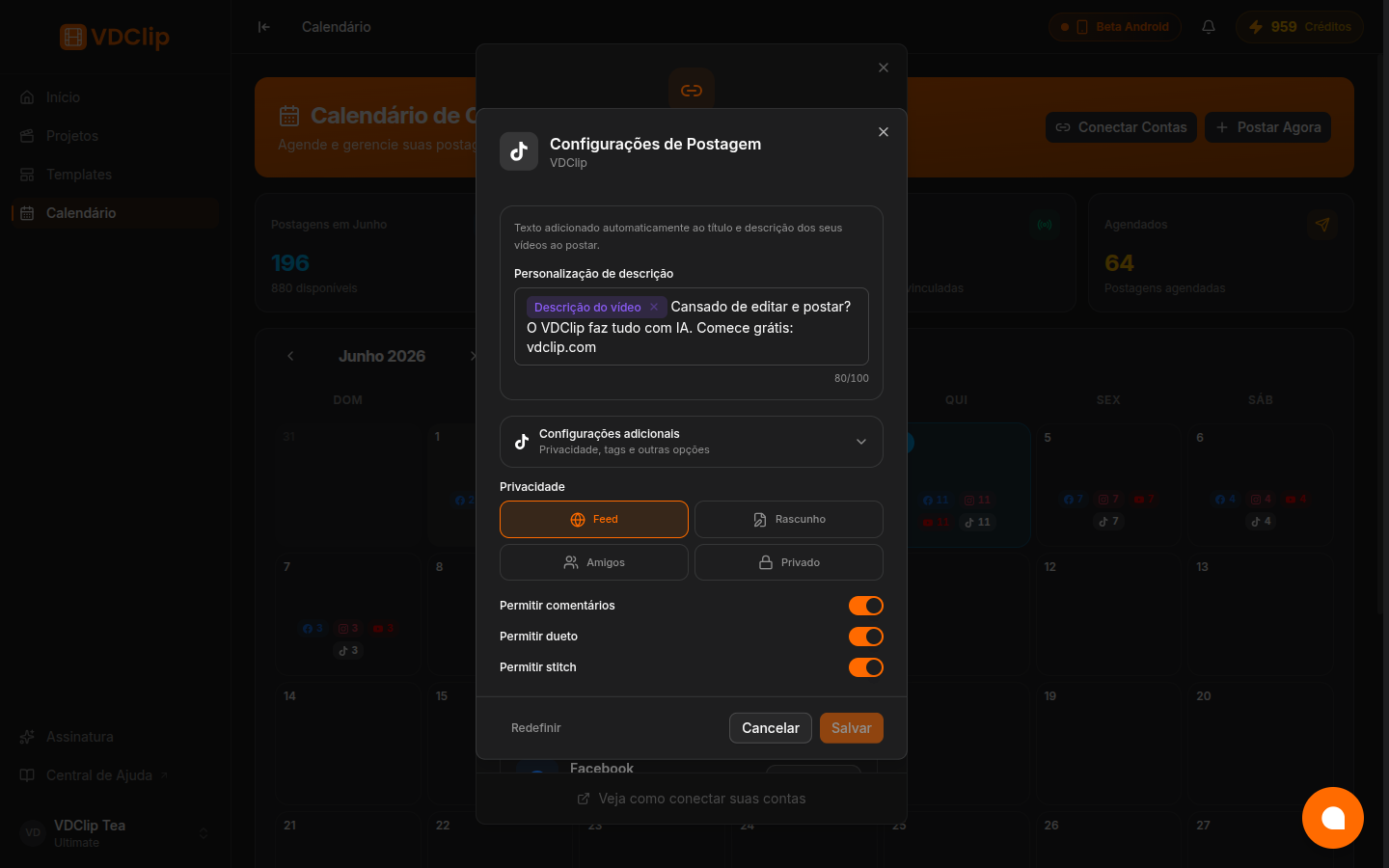
In the TikTok example, you can define:
- Privacy: Feed, Friends, Private, or Draft as the default.
- Allow comments, duet, and stitch: turn each interaction on or off by default.
Each platform shows only the options it supports. These values are preselected when you create a post, but you can still change them before publishing.
Save or reset
Click Save to apply the settings to the account. Use Reset to restore default values and Cancel to leave without saving.
Tips and Best Practices
Use fixed text to always include the same invitation, hashtag, or link in every post from that account.
Each account has its own settings. Adjust tone and privacy for each network audience.
Keep the marker to preserve the original clip description and add fixed text around it.
These settings are applied as defaults, but you can still adjust them on the publishing screen before posting.